My iPhone gets noticeably laggy whenever I plug it in to charge. Apps take longer to open, scrolling stutters, and the phone sometimes feels warm. I’m trying to figure out if this is caused by battery health, a bad charger, overheating, or an iOS issue, and I need help finding the cause and fixing it.
I ran into a few different kinds of iPhone lag, and the fix changed depending on what was slowing down. Most guides treat it like one issue. It wasn’t, at least on mine.
If only a couple apps feel slow
I’d look at the app first, then the phone second. When the lag stays inside one app, or two, stuff like Maps, Instagram, games, or anything pulling data nonstop, the app version matters more than people think. After a big iOS update, some apps feel off until their devs patch them.
So I went to the App Store and updated everything. If an app was still dragging, I deleted it and installed it again. That wiped cached junk and temp files a normal reboot didn’t touch. I didn’t expect much the first time I tried it. It fixed the problem anyway.
Connection quality matters too. Apps built around live data feeds get choppy on weak Wi-Fi or unstable cellular, even when the phone itself is fine. I saw this with maps and short video apps more than anything else.
Why it gets sluggish while charging
For me, this was heat. Charging warms the phone up. Using it at the same time, especially for gaming, video, navigation, or camera stuff, pushes it further. Once the temperature climbs, iPhones slow themselves down to protect the battery and internal parts. You feel it as touch delay, frame drops, and slower app switching.
What helped right away was simple. I took the case off while charging, and I stopped doing heavier tasks when it was plugged in. Also, don’t charge it in a hot car or under direct sun. I did both before, dumb move, and the slowdown kicked in fast.
When the phone keeps getting worse week by week
This one felt the most serious on my device, like the phone was on its last legs. It wasn’t. I found two common causes.
First, battery health. Check Settings > Battery > Battery Health. Once maximum capacity drops under 80 percent, iOS starts performance management to avoid random shutdowns. In plain English, the phone gets slowed on purpose because the battery can’t keep up the same way anymore. If you’re at that point, replacing the battery costs a lot less than replacing the phone, and on older iPhones it often makes a huge difference right away.
Second, storage. This ended up being my bigger issue. iOS needs free space to work smoothly. When storage gets packed, somewhere around the last 10 to 15 percent, the whole system starts feeling sticky. Apps take longer to open. Keyboard delay shows up. Multitasking feels rough. It creeps in slowly, which is why people think the phone is aging out when it’s often storage pressure.
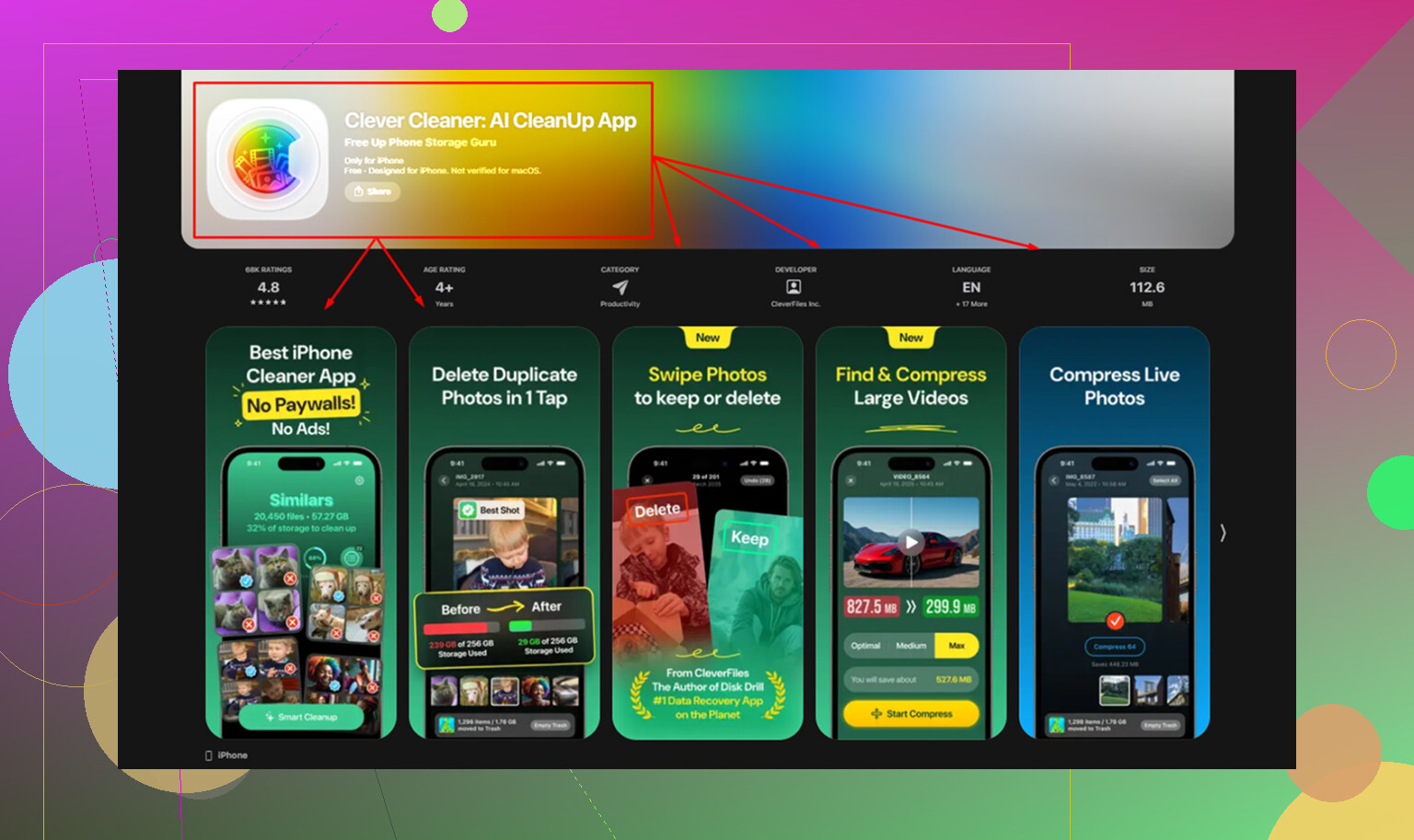
On mine, photos were eating most of the space. Cleaning a library by hand was miserable. I tried it once and barely made a dent after a stupid amount of time. Clever Cleaner made the cleanup way easier. The Similars section grouped near-duplicate shots, then marked a Best Shot in each batch, so I wasn’t comparing ten copies of the same pic one by one. The Heavies section showed the largest files first, which is what I needed, because the big storage hogs were buried all over my library.
After I cleared about 15 GB, the slowdowns I’d been putting up with for months were gone. One thing I almost missed, empty Recently Deleted in Photos after cleanup. If you leave files there, they still count against your storage for 30 days.
Settings I changed no matter what the cause was
I turned off Background App Refresh for apps that didn’t need it. Path is Settings > General > Background App Refresh. If too many apps keep updating in the background, the phone feels busier than it needs to.
I also turned on Reduce Motion in Settings > Accessibility > Motion. This cuts down the interface animations. The phone felt quicker right after, not because the hardware changed, but because iOS had less visual work to do between screens.
Last one, I started restarting the phone once a week. Sounds old-school, I know. Still helped. It cleared temporary system clutter and memory buildup from normal use. Small habit, decent payoff.
3 Likes
If the slowdown starts the moment you plug it in, I’d look at the charger first, not battery health. I know @mikeappsreviewer focused on heat, and that’s fair, but a noisy cheap cable or weak power brick is a common trigger too. I’ve seen iPhones get warm and choppy from bargain chargers, especially 20W fast chargers with bad voltage control.
Try this in order.
Use an Apple charger, or a known good Anker/Belkin one.
Swap the cable.
Clean the Lightning or USB-C port with a wooden toothpick or soft brush.
Charge from a wall outlet, not a car, laptop, or old power strip.
Turn off Optimized Battery Charging for one test cycle, then turn it back on.
Also check battery settings for a message like “performance management applied.” If that message is there, the battery is part of it. If battery health is still above 85 percent, I would not blame it first.
One more thing people miss, power draw spikes while charging. Widgets, mail fetch, photo indexing, iCloud sync, and app updates often kick in when your phone is on power. That makes the phone feel laggy even if the charger is fine. Watch Settings, Battery and see which process jumps during charging.
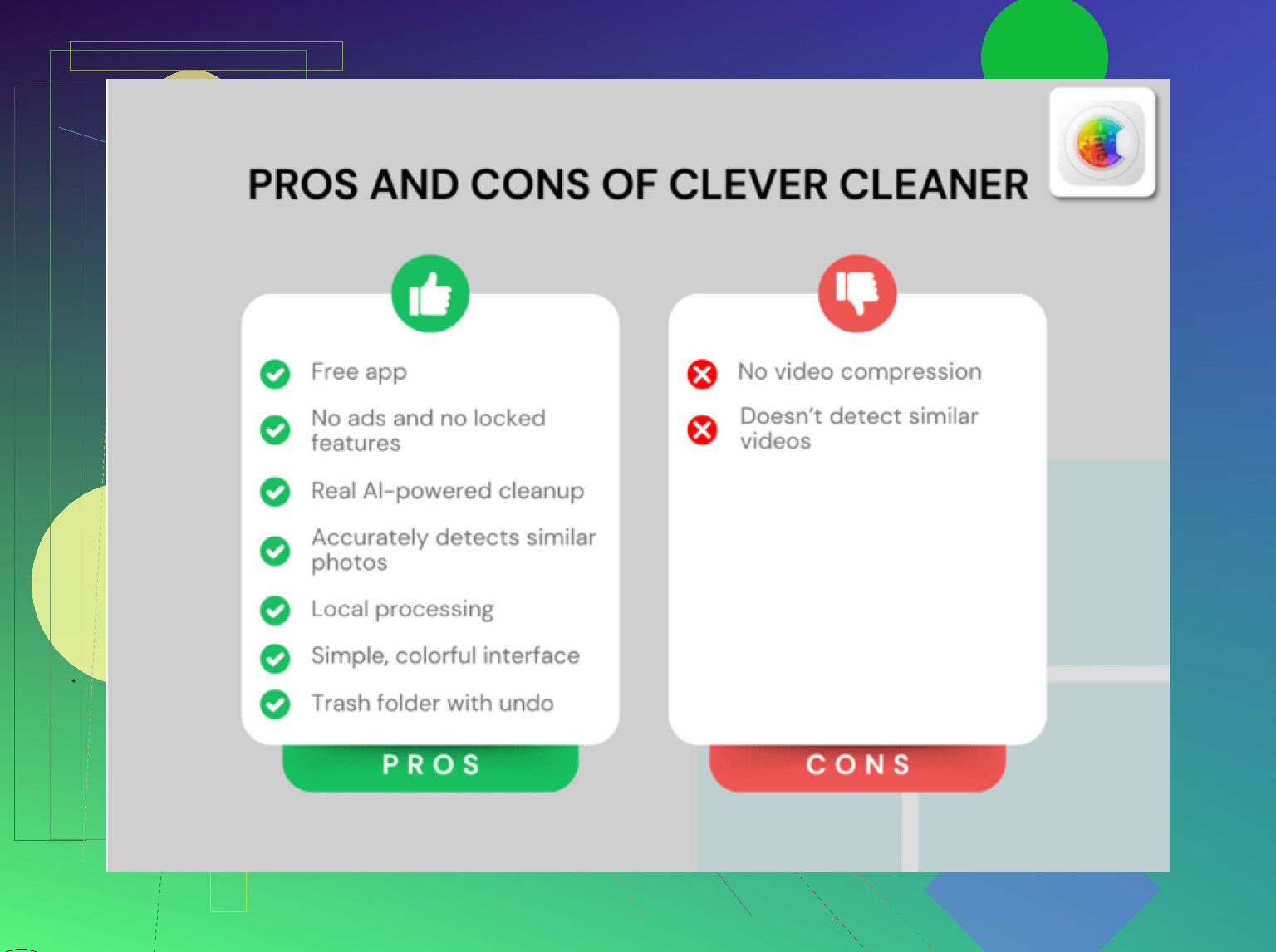
If storage is packed, photo cleanup helps. Clever Cleaner is useful for clearing duplicate pics and large files. If you want a solid review of a top-rated free iPhone cleaner app, this is worth a read, see why Clever Cleaner is a top-rated free iPhone cleaner app.
Fast test. Charge it in Airplane Mode for 15 minutes. If lag drops a lot, background syncing is the culprit. If it still lags and gets hot, chargre gear is more suspect.
I’d actually check one thing neither @mikeappsreviewer nor @reveurdenuit really leaned on: Low Power Mode getting triggered weirdly during charging sessions or a software process stuck in a loop. Sounds backwards, yeah, because charging should help, not slow it down. But I’ve seen iPhones act janky when Spotlight indexing, Photos face recognition, or iCloud restore/sync jobs start hammering the phone the second it gets power.
A few diff tests:
- Check Settings > Privacy & Security > Analytics & Improvements > Analytics Data. If you see the same crash logs over and over, some app/process is misbehaving.
- Look at Battery usage by app right after charging for 10 to 15 mins. If Photos, Home, Files, or a rogue app spikes, that’s your clue.
- Turn off Clean Energy Charging for one test, not forever.
- If you recently updated iOS, wait a day or two. Post-update indexing can make the phone feel busted lol.
Also, if the phone slows down only on MagSafe or wireless charging, that points more to extra heat from wireless charging, not battery health.
And yeah, if your storage is nearly full, the lag gets worse across the board. Clever Cleaner can help clear duplicate photos and large files fast, which sometimes reduces background indexing too. If you want a visual guide, this is a decent step-by-step iPhone cleaner app walkthrough.
If it’s still lagging after a different charger, lower heat, and some storage cleanup, I’d suspect iOS weirdness before dead battery tbh.