I accidentally deleted important photos and video files from my SD card while using my Mac, and I need to recover them as soon as possible. The files were removed recently, and I have stopped using the card to avoid overwriting anything. Looking for the best Mac SD card file recovery method or software to restore recently deleted files.
I’ve had this happen, and yeah, it feels bad fast. You finish a shoot, plug the SD card into your Mac, then Finder shows nothing or throws the unreadable disk message. I lost a full wedding set once from a corrupted card, so I know how ugly this feels. The upside is simple. If the card is not physically smashed, bent, or cooked, your files are often still sitting on the flash storage. The file table is what usually breaks first, not the photo data.
First thing, stop touching the card.
Do not shoot more photos on it. Do not copy new files to it. Do not format it.
When macOS deletes files or formats media, it usually does not wipe all data blocks right away. It marks space as free. Your old files stay there until new data lands on top of them. Once sectors get overwritten, you are done. No app fixes overwritten footage.
Before pulling out recovery tools, I’d check the simple stuff. I’ve seen people spiral over a dead card, then swap readers and the thing mounts fine.
Look at the lock switch on the SD card. If it slid into the locked position, your Mac or reader might behave weirdly.
Wipe the gold contacts with a dry soft cloth. No liquid, no rough paper towel. Dust and grime cause dumb problems.
Try another USB port. Then try another card reader. Cheap readers fail all the time. I’ve had one work for USB drives and still choke on SD cards.
Check hidden files in Finder. Open the card and press Command + Shift + . Look for a faded folder named .Trashes. Sometimes deleted files ended up there and you can pull them back out by hand.
If none of that helps, open Disk Utility from Spotlight. Find the SD card in the left sidebar.
If it shows up but looks grayed out, hit Mount. If it mounts, copy your stuff off right away.
You can also run First Aid. It checks the file system and fixes small errors. I’d be a little careful here, though. If the card is badly corrupted, repair attempts sometimes rearrange things enough to make deeper recovery harder later. For light damage, First Aid helps. For messy corruption, I usually image the card first.
When Mac tools fail, recovery software is usually the next move. These apps ignore the broken directory and scan raw storage for known file signatures. On Mac, the one I’ve had the best luck with is Disk Drill.
I don’t say that because it sounds nice. I say it because it runs cleanly on macOS, works on Intel and Apple silicon, and the interface does not fight you. The feature I’d use first is the byte-to-byte backup. Make an image of the SD card before you run a long scan. Then scan the image, not the card itself.
This matters more than people think. SD cards are flimsy. If one is already failing, a full scan puts more read stress on it. I’ve seen a weak card go from flaky to invisible after repeated attempts. Working from a clone is safer, and if something goes wrong, you still have the image.
Video people get hit even harder here. GoPros, drones, and some action cams scatter video chunks across the card. A lot of recovery apps pull fragments back as broken files that won’t play. Disk Drill has an advanced camera recovery mode for this sort of mess. In my use, it did a better job reassembling clips from fragmented storage than the generic tools I tried before. Usually you can scan first and preview what’s there before paying, which helps you avoid wasting time.
If you’re comfortable in Terminal and don’t mind ugly output, PhotoRec is worth a look. It’s free and open source. It is also a pain. No polished interface, weak organization, and recovered files often come back with names like f12345.jpg. If the card held thousands of photos, sorting them later is rough. Still, for a free fallback, it works better than people expect.
After recovery, I’d change two habits right away.
Eject the card properly. Pulling it while macOS is still indexing or writing metadata is a common way to corrupt the file system.
Format the card in the camera. Once your files are backed up, use the camera’s format option instead of Disk Utility. Cameras like their own file structure, and this avoids a bunch of weird compatibility issues.
So yeah, keep the card unplugged for now. Don’t write anything to it. Check the simple hardware stuff, then move to Disk Utility, then recovery software if needed. If the files were on it earlier today, your odds are still decent.
1 Like
If the delete happened on your Mac, check the Mac Trash too. A lot of people skip this. Finder deletions from removable media sometimes move refs there first, not only on the card itself. Open Trash, sort by Date Deleted, restore anything you see. It sounds dumb, but it saves time.
I agree with most of what @mikeappsreviewer said, but I would skip First Aid until after you make an image or run a read-only scan. File system repair writes changes. On flash media, I don’t like doing write ops before recovery. Too much risk for files you care about.
My order would be:
- Keep the SD card read-only if your reader supports it.
- Check Mac Trash.
- Use Terminal to see if macOS still sees deleted dir entries:
ls -la /Volumes/YourCardName - If nothing useful shows, scan with Disk Drill on your Mac. It’s one of the cleaner options for SD card file recovery on Mac, and the preview helps you see whether your photos and videos are intact before spending money.
- Recover to your Mac’s internal drive or an external SSD. Do not recover back to the same SD card. Peolpe do this and make things worse.
One more thing. If these are camera videos, file carving often returns clips without original names or folders. That’s normal. Recovery rate for recent JPG and MP4 files is often decent if overwrite = zero. Once overwrite starts, recovery drops fast.
If you want more Mac recovery software opinions from Reddit, this thread is useful:
best free SD card data recovery tools for Mac discussed on Reddit
One thing I’d add to what @mikeappsreviewer and @himmelsjager said: check for cloud/app imports before you go deep into recovery mode. If you used Photos, Image Capture, Lightroom, Dropbox camera uploads, or even Google Photos on that Mac, the files may already exist on the Mac or in a library package even if the SD copy got deleted. On macOS, Photos can hide originals inside the library, so right-click the Photos Library, choose Show Package Contents, then look in Originals or Masters depending on version. It’s boring, but it can save you hours.
Also, I slightly disagree with the “always do a raw scan first” mindset. If the deletion was very recent and the card still mounts normally, sometimes a quick check with a recovery app’s deleted-files view is faster and less chaotic than a full signature carve that dumps 8,000 renamed files at you. For recently deleted JPG, HEIC, MP4, MOV, that can matter.
For Mac SD card file recovery, Disk Drill is still a solid pick because it can show both deleted records and carved results in one place, which makes triage easier. Just install it on your Mac, not the card, and recover to a different drive. If previews open correctly, that’s usually a very good sign.
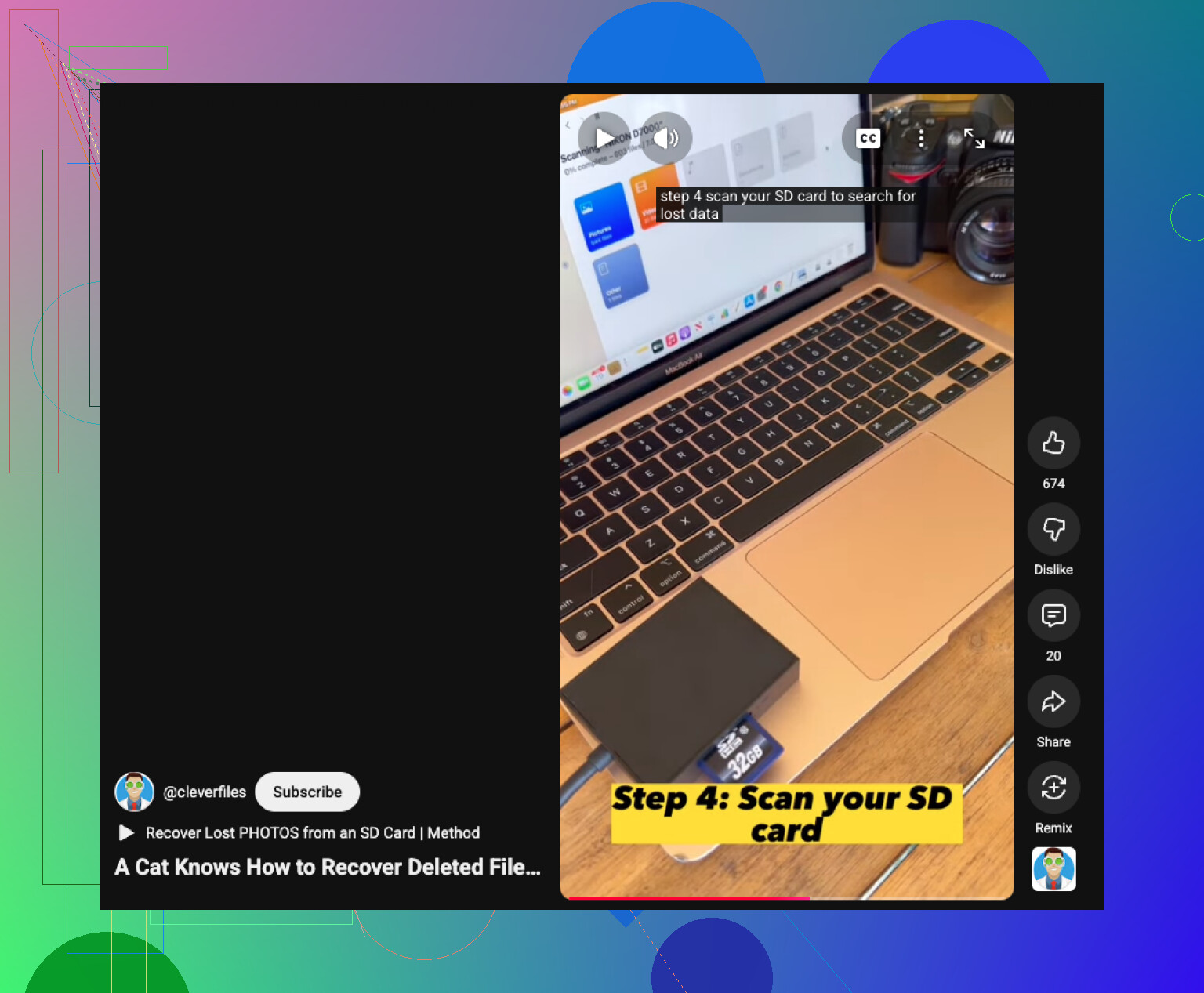
If you want a visual walkthrough, this SD card file recovery on Mac video tutorial is a decent quick watch.
Big thing now is speed plus restraint. Don’t reconnect the card ten times testing random stuff. That’s how people turn “recoverable” into “welp.”
One extra angle nobody’s stressed enough: check macOS local snapshots and app caches if the files were imported before deletion. Spotlight won’t always show package contents, but Lightroom catalogs, Final Cut import folders, and Photos temporary imports can still hold copies. That’s different from Trash and worth 5 minutes.
I’d also avoid repeatedly mounting the card in Finder. Every mount can trigger metadata writes by macOS or helper apps. Use a reader with a physical lock if possible.
On tools, Disk Drill is a reasonable Mac choice here. Pros: easy previews, can separate deleted entries from carved files, decent camera media support. Cons: deep scans get messy with lost filenames, the free tier is limited, and results on fragmented video are still hit-or-miss. If previews look good, recover to your Mac, then verify a few files before doing the rest.
I mostly agree with @himmelsjager, @viajantedoceu, and @mikeappsreviewer, except I’m less enthusiastic about Terminal checks for average users. If the deletion was recent, a targeted deleted-file scan is usually faster and safer than poking around manually.