I need help figuring out if Recuva is still safe to install in 2025. I was looking for a file recovery tool after accidentally deleting some important files, but the Recuva website and app screenshots look really old, which makes me worry about security, malware, and whether it still works well on Windows 10 and 11. Has anyone used it recently, and is it trustworthy for recovering deleted files?
People ask this all the time, and I never answer with a clean yes or no. The short version is simple enough. Recuva is safe to run. It is not malware, it is not a trojan, and it is not built to damage your PC. Still, 'safe' means more than 'won't infect your machine.' If you care about privacy, or you care about not making deleted files harder to recover, there are a few catches.
I spent a chunk of time testing recovery apps on old SSDs, USB sticks, and one laptop drive I should've left alone. Recuva is one of those tools people grab first because it is free and familiar. Sometimes it helps. Sometimes it gives you a false sense of progress.
About the malware rumors
A lot of the fear traces back to the 2017 CCleaner mess. Same company, Piriform. Their official CCleaner build got hit in a supply chain attack, and malware ended up inside a legit update. Bad situation. A lot of users still remember it.
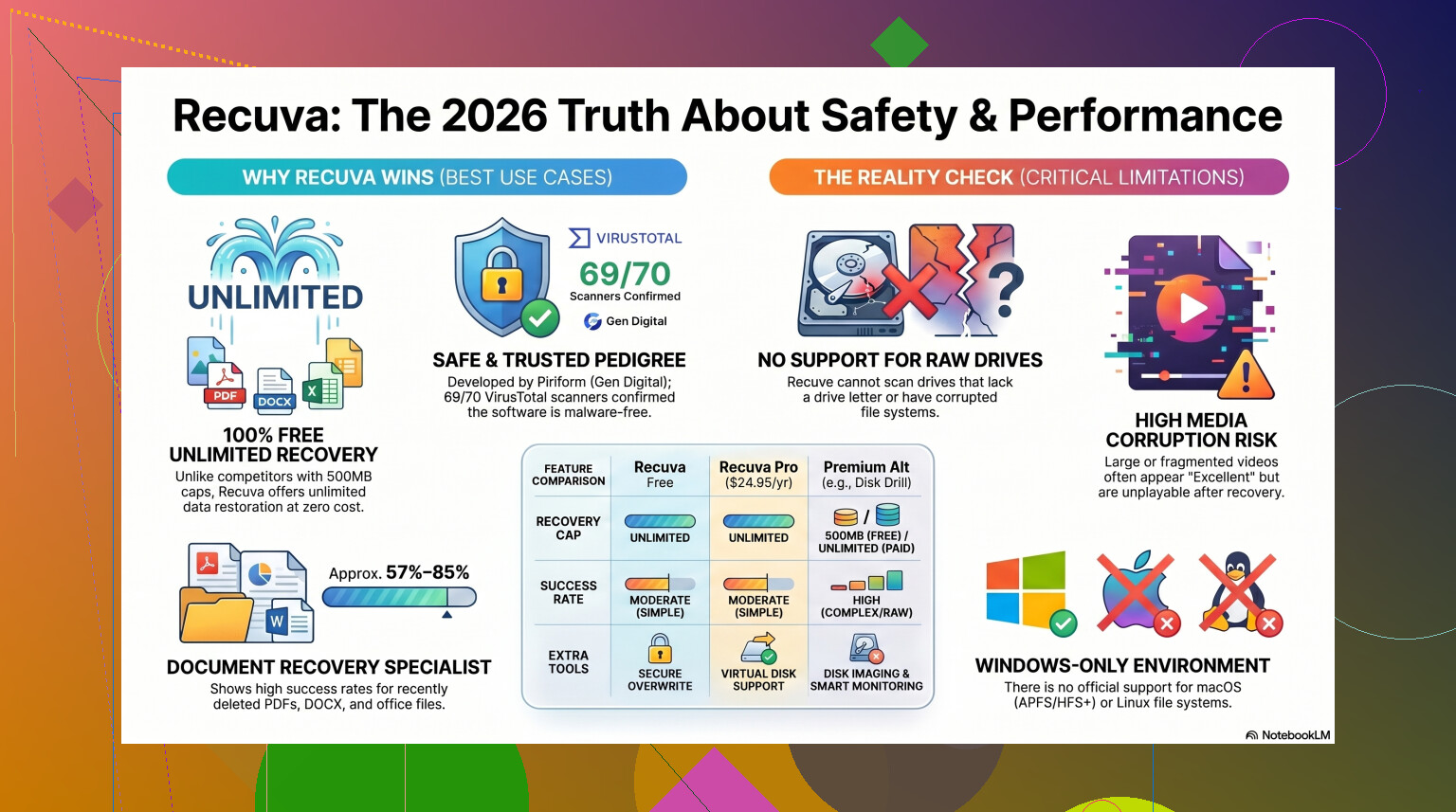
That said, Recuva in 2026 is not carrying around some hidden infection by default. Piriform moved under Avast, then under Gen Digital, which also owns Norton. The current installer gets scanned all over the place. If you throw it into VirusTotal, what I saw was close to clean, with the usual one-off engine whining over behavior flags. Recovery tools poke around file systems in ways some antivirus products don't like, so a stray false positive is not shocking.
If you grab Recuva from the official source, you are not walking into a virus problem.
Privacy is a separate issue
This part gets brushed aside too often. Safe from malware does not mean private. Gen Digital collects some routine telemetry. Think IP address, device identifiers, OS details, rough location, stuff tied to fraud checks, licensing, and usage tracking.
I don't love it. You might not care. If you do care, change it right after install. Open Options, go to Privacy, then turn off 'Help improve our other apps by sending usage data.' I did this first thing on my test box.
One detail worth knowing, they keep IP addresses for up to 36 months before anonymizing them. So yes, the free tool has a data trail attached.
The part where users ruin their own recovery
This is the main trap. Recuva itself is not the dangerous part. Your next move might be.
Do not install it onto the same drive where your deleted files used to live. I did this years ago with a photo folder on an old hard drive, and I still regret it. Deleted data often sits there until something new writes over the space. If your installer lands on those sectors, your missing files lose the coin toss.
The safer route is the portable version. Put it on a USB drive and run it from there. No normal install, less writing to the disk you are trying to save. Same rule on the output side too. Never restore recovered files back onto the drive you are scanning. Use another disk, another partition, anything else.
How well it works now
Here's the blunt part. Recuva feels old because it is old. The core design has been around forever. It got maintenance updates, sure, enough to keep it alive on Windows 11, but it still behaves like an undelete app from another era.
On easy jobs, it does fine. If you emptied the Recycle Bin ten minutes ago on a healthy Windows drive, odds are decent. It is fast. It is light. It does not put recovery behind some tiny free limit. For simple mistakes, I get why people still use it.
Once the job gets messy, things start slipping.
If Windows shows the drive as RAW, or nags you to format it before use, Recuva often falls flat or does not see the volume in a useful way. On formatted USB tests, I kept seeing recovery rates in the rough 63 to 67 percent range. Worse, 'found' does not always mean 'usable.' I had image files marked in good condition, then Windows Photos refused to open them. Same old story, recovered in name only.
Folder structure is another sore spot. If the scan goes broad, you might get a dump of thousands of files with names like 000123.jpg and no sane sorting. If your deleted stuff matters, that gets ugly fast.
When I would stop using it
If the files are disposable, sure, give Recuva a shot first. If the files matter, your time starts to matter too. Repeated scans are not harmless on a failing drive. Every pass adds stress. On weak hardware, wasting your first clean shot on a shallow tool feels like a gamble.
I usually draw the line here. RAW drives, damaged partitions, Mac file systems, camera RAW libraries, big video projects, any sign of corruption, I move on.
For those cases, I had better results with Disk Drill. Recuva feels built for old Windows cleanup mistakes. Disk Drill feels built for recovery work. It handles damaged partitions and RAW volumes far better from what I saw. On formatted drives, the recovery rates are often closer to 95 to 97 percent in published tests and hands-on comparisons, which is a big jump from what Recuva tends to deliver.
The feature I care about most is Byte-to-Byte Disk Imaging. This lets you clone a failing drive first, then scan the clone instead of hammering the original disk over and over. If the physical drive quits halfway through, at least you already captured an image. Recuva does not give you much help there.
Video and photo people should be careful too. Recuva has a habit of choking on fragmented video and niche camera formats. I saw weaker results with larger media files, which tracks with what others have reported for Nikon, Canon, and similar RAW formats. This Recuva review covers some of those limitations if you want more detail.
My take
If you need a free first attempt on a healthy Windows machine, Recuva is fine. Safe to install. Easy enough to use. Good for basic undelete jobs.
If you go that route, do these four things.
- Download it from the official site.
- Use the portable build if you can.
- Turn off usage sharing in the privacy settings.
- Expect mixed results once the case gets complicated.
If Recuva finds nothing, or restores files which won't open, stop writing to the drive. Don't keep poking at it out of frustration. Switch tools and treat the disk like it is on borrowed time.
So yes, Recuva is safe. I would still call it a starter tool, not a rescue plan. Fine for small mistakes. Thin ice for anything you can't afford to lose.
1 Like
Yes, Recuva is safe to install in 2025 if you get it from the official Piriform site. It looks old because it is old. Old UI does not equal unsafe.
Where I differ a bit from @mikeappsreviewer is this. I think people sometimes overrate the “looks ancient” part. Plenty of legit Windows tools still look like 2012 and work fine. Recuva’s bigger issue is success rate, not safety.
My take:
- Safe install, yes.
- Great recovery tool, not always.
- Fine for simple accidental deletes on a healthy Windows drive.
- Weak pick for formatted, corrupted, or failing drives.
One thing I’d check before installing anything is your drive type. If the deleted files were on an SSD, TRIM often wipes recoverable data fast. In those cases, Recuva isn’t “unsafe,” it’s more like too late. On an HDD or SD card, your odds are better.
Also, watch for fake download sites. That’s where ppl get burned, not from Recuva itself.
If the files matter, I’d skip the nostalgia test and use Disk Drill first. It’s a stronger file recovery tool for Windows and external drives, esp if the file system is damaged or the scan needs to go deeper. If you want a solid comparison list, this guide to top data recovery software for deleted files and damaged drives is worth a look.
Short answer, yes, Recuva is safe. I woudn’t call it the best choice anymore.
Yes, it’s safe to install in 2025 if you get it from the official source. The old-school look is more of a “this software stopped caring about cosmetics in 2014” thing, not a red flag by itself.
I slightly disagree with @mikeappsreviewer on one point though: telemetry is kinda low on my worry list here. For a recovery app, the bigger risk is wasting your best recovery window on a tool that’s just meh for tougher jobs. That’s the real issue.
What I’d say is:
- Safe? yes
- Modern? not really
- Best choice? also not really
If your files were deleted from a normal HDD and it happened recently, Recuva can still work fine. If it was an SSD, formatted drive, corrupted partition, or external drive acting weird, I’d skip straight to Disk Drill because it handles more ugly recovery cases better.
Also, stop using the drive right now if the files matter. That matters more than which app you pick tbh.
For background, here’s a cleaner overview of what Recuva file recovery software is and why people still use it.
So yeah, safe enough. Just a bit old, a bit limited, and maybe not the tool I’d trust first for important stuff.
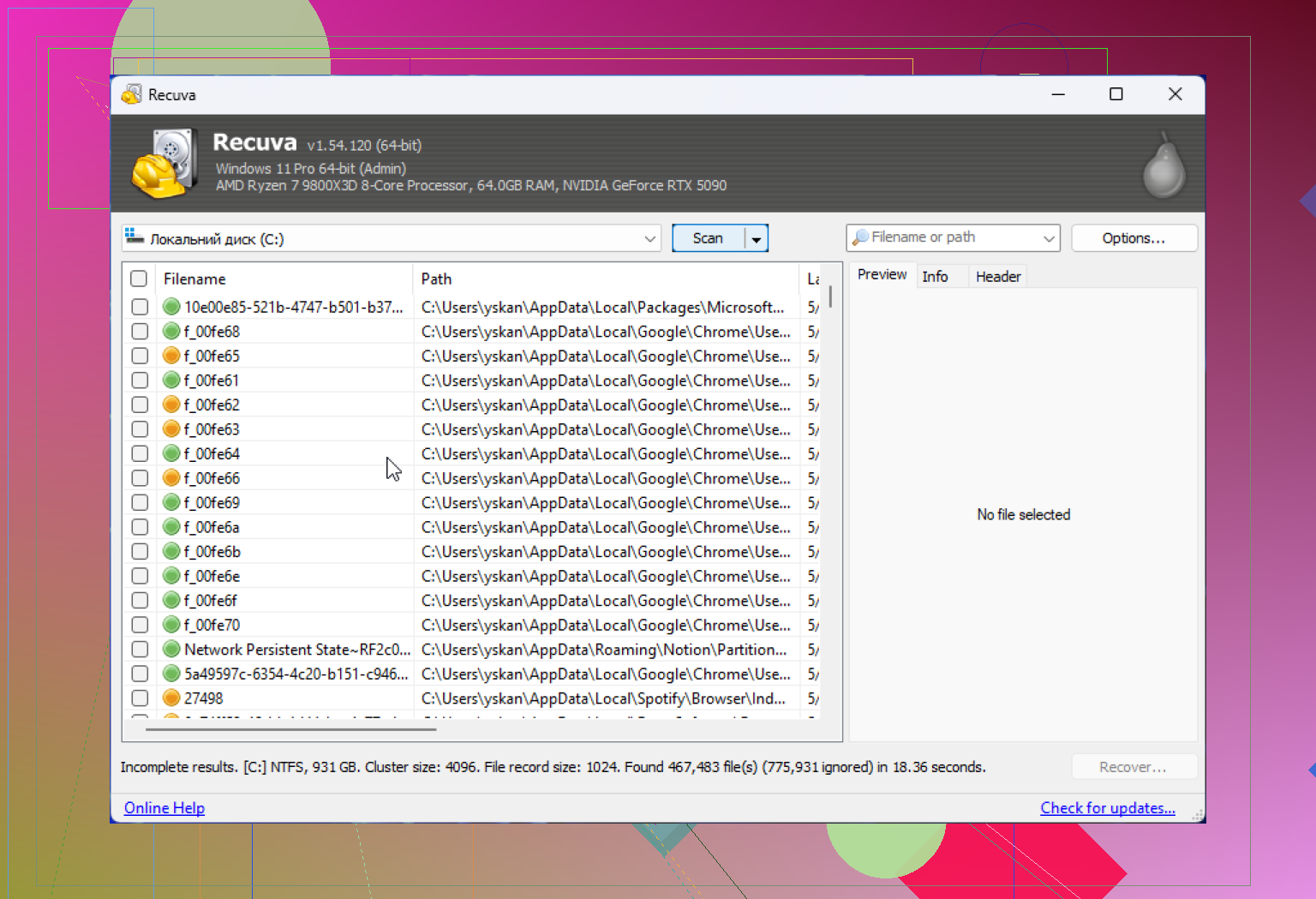
Yep, Recuva is generally safe in 2025 if you download it from the real Piriform/Gen Digital source. The ancient interface is not the problem. Plenty of legit Windows utilities still look frozen in time.
Where I slightly disagree with @yozora and @espritlibre is this: people sometimes frame Recuva as merely ‘old but okay.’ I think the bigger concern is that old recovery tools can be misleading because they may show lots of recoverable files that turn out partially broken. So safety, yes. Confidence, not always.
My take:
- Safe to install? Yes.
- Safe to trust for important recovery? Depends.
- Good for quick accidental deletions? Usually.
- Good for high-stakes recovery? Not my first pick.
A practical thing nobody should ignore: if the deleted files were on the same system drive, every minute of normal PC use matters. Browser cache, Windows updates, temp files, all of that can overwrite deleted data. So the ‘safe or not’ question is actually less urgent than ‘have you stopped writing to that drive?’
About Disk Drill, since @mikeappsreviewer brought it up indirectly: it is the stronger option when the case is more serious.
Pros of Disk Drill:
- better scan depth
- better handling of damaged or formatted volumes
- cleaner preview and file organization
- useful extras like drive backup/imaging
Cons of Disk Drill:
- not as lightweight
- free recovery limits can annoy people
- more features can feel overkill for a simple undelete
So if this was just ‘oops, deleted a Word doc from an HDD,’ Recuva is fine to try. If this is SSD deletion, corrupted USB, formatted SD card, or anything valuable, I would go straight to Disk Drill or even a professional service if the files are irreplaceable.
Short version: Recuva looking old is not a red flag. Recuva being limited is the real story.