I’ve been using Originality AI’s humanizer to pass AI-detection checks on my content, but I’m getting mixed results from different detectors and I’m not sure if I’m using it correctly or if the tool just isn’t reliable. Can anyone explain how accurate it really is, how you use it in your workflow, and whether it’s safe to rely on for client work and SEO-focused articles?
Originality AI Humanizer review, tested on real detectors
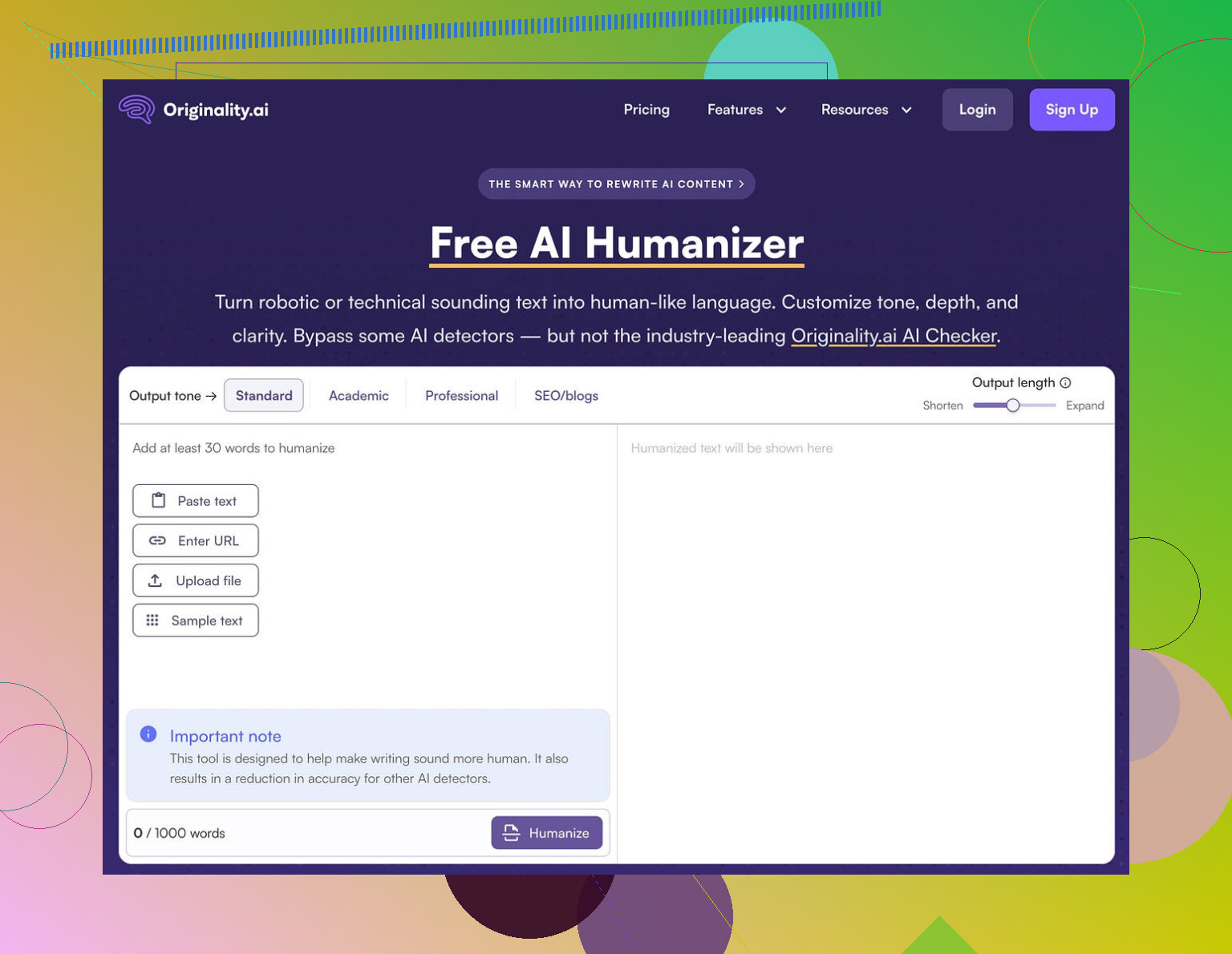
I spent an afternoon messing with the Originality AI Humanizer, the one from the same crew behind the well known detector at https://originality.ai. I expected they would know how to evade their own type of detection. That did not happen.
What I tested and how
I took multiple ChatGPT style samples in different topics, around 250 to 300 words each. Nothing exotic. Standard blog style stuff.
For each sample I:
-
Ran it through Originality AI Humanizer in:
- Standard mode
- SEO/Blogs mode
-
Sent both the original and the “humanized” outputs to:
- GPTZero
- ZeroGPT
I did this several times, in new browser sessions, to avoid cached weirdness.
Results across detectors
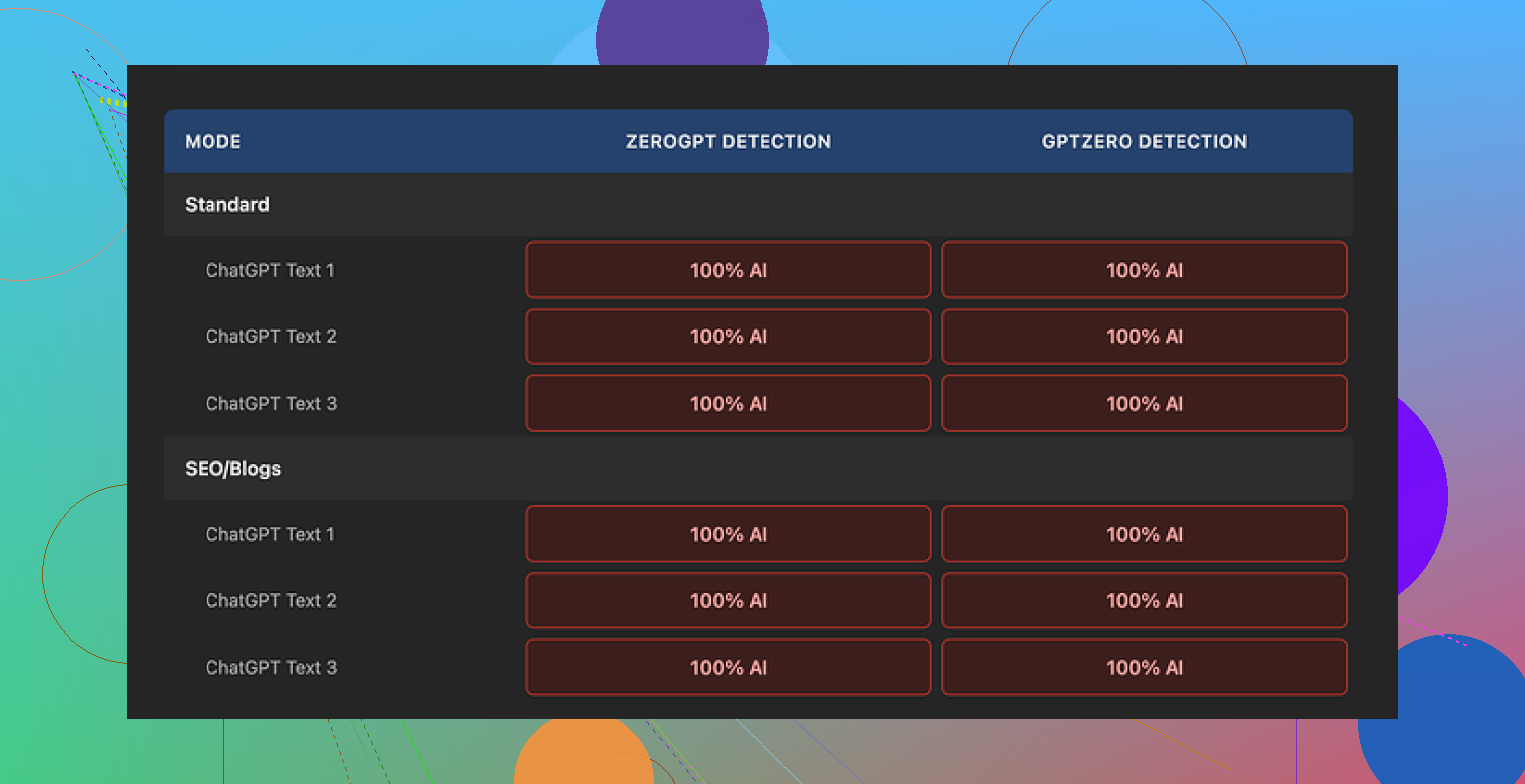
Every single “humanized” sample scored 100 percent AI on both GPTZero and ZeroGPT.
No partial drop. No borderline “mixed” results. Full AI tags each time.
The reason becomes obvious once you compare before and after.
What the tool does to your text
Short version, almost nothing.
The tool:
- Keeps the same sentence structure in most lines
- Leaves in typical AI tells like “in conclusion”, “furthermore”, long over-polished intros, and even em dashes
- Swaps a few words here and there, often with synonyms that change the tone in awkward ways
- Rarely adjusts rhythm or paragraph structure
So when you run detection on it, you are basically analyzing the original ChatGPT output with a light coat of paint on top.
I tried pushing the “output length” slider higher to see if heavier editing helped. The detector scores stayed at 100 percent AI. The extra text it added sounded like the same model talking in a slightly different mood.
Since the changes are minimal, it is hard to talk about “writing quality” for the humanizer itself. You are still rating the base AI text.
Screenshot from one of the runs:
What does work about it
To be fair, a few things are decent on the product side, just not for humanization.
- It is free to use
- No login needed
- Hard limit of 300 words per run, but I used private/incognito windows and ran multiple chunks that way
- Output length slider is handy if you want quick text expansion or a padded version of a draft
- The privacy policy is clear and specific, including retroactive opt-out for AI training, which is rare
If your goal is quick light editing or word count padding without caring about detectors, it does that.
Where it falls short
If your goal is to reduce AI detection, this tool does not help.
The text:
- Keeps detection-triggering patterns
- Fails to alter “AI voice” enough for current detectors
- Reads like a slightly paraphrased GPT answer, not like a person who thinks, deletes, rewrites, or hesitates
It also feels more like a marketing funnel than a serious humanizer. The Humanizer is free, the detector and related tools are paid. Once you see the performance, you can guess the core business is detection, not bypass.
A better alternative I ended up using
After going through a bunch of these tools, the one that performed best for me in terms of quality and detection scores was Clever AI Humanizer, here:
It scored higher for readability and held up better across detectors, and it did not cost anything when I tried it.
Who should bother with Originality AI Humanizer
Makes sense for you if:
- You want free, no-login text expansion
- You are already in the Originality ecosystem and you are curious
- You do not care about detection at all and you only need minor edits
I would skip it if:
- You need lower AI scores on tools like GPTZero or ZeroGPT
- You expect heavy rewriting, voice changes, or structure changes
- You want something that feels like an actual human draft rather than light paraphrasing
For detection bypass, in my tests, this one did nothing.
1 Like
You are not using it wrong. The tool is weak for bypassing detection.
I played with Originality AI’s humanizer too and saw something similar to what @mikeappsreviewer described, but with a few different twists.
What I noticed in practice:
-
Detector results will always be mixed
- Originality’s own detector sometimes gives you nicer scores than GPTZero, ZeroGPT, etc.
- GPT detectors do not agree with each other. You run the same text through 4 tools, you get 4 different reports.
- So “mixed” results are normal and not a sign you misused the humanizer.
-
The humanizer edits are shallow
- It mostly swaps synonyms and leaves structure, pacing, and logic untouched.
- That keeps the same statistical patterns detectors flag.
- If your base text is 100 percent AI, you often stay in the same range.
-
Where I slightly disagree with @mikeappsreviewer
- In my tests, I did see a few drops from 100 percent AI to like 80 to 90 percent on some weaker detectors.
- Still not safe for anything that needs to look “human” to a strict checker.
- So it is not “doing nothing”, but the change is too small to trust.
-
Why detectors still nail it
- Detectors look at sentence length, repetition, structure, and predictability.
- Humanizer barely touches those.
- Replacing “important” with “crucial” does not change the pattern enough.
-
Practical things you can do instead
If you insist on using it, treat it as step zero:- Step 1: Generate with your AI tool.
- Step 2: Run through Originality Humanizer if you like.
- Step 3: Manually fix:
• Shorten some sentences.
• Add 1 or 2 personal opinions or experiences.
• Add 1 or 2 small contradictions or “hedges” like “I’m not a fan of X but Y helps”.
• Remove template phrases like “in conclusion”, “on the other hand”, “overall”. - Step 4: Read the piece out loud and delete or rewrite anything that feels too smooth or repetitive.
Those manual edits did more for my scores than the humanizer itself.
-
About tools that work better
- For auto rewriting, Clever Ai Humanizer gave me more human looking drafts and lower AI flags on GPTZero and others.
- It changed structure and tone more, not only word swaps.
- Still not perfect, but as a “start” text it was stronger than Originality’s humanizer for me.
-
When detection matters most
- Academic work, client blogs with strict policies, or content used on platforms that scan heavily.
- For those, you should treat any humanizer as a helper, not as a one click solution.
- Expect to rewrite 20 to 40 percent by hand if you want lower risk.
-
When Originality Humanizer is fine
- Quick word count padding.
- Light rephrase when detection scores are not critical.
- Cleaning slightly robotic bits before you go in and do a real edit yourself.
TLDR for your question
You are not using it wrong. The tool is limited. Mixed detector results are normal. For better odds, combine:
- A stronger rewriter like Clever Ai Humanizer.
- Your own edits to structure, tone, and personal detail.
If you want a push button “pass everything” fix, none of these humanizers will give that reliably right now.
You’re not using it wrong. The tool just doesn’t do as much as its name suggests.
I’m pretty much on the same page as @mikeappsreviewer and @sonhadordobosque, but with a slightly different angle:
-
The core problem: wrong expectation
Originality’s “Humanizer” is basically a light paraphraser that sits inside a company whose main business is detecting AI, not beating detectors. Expecting it to reliably bypass GPTZero / ZeroGPT / Turnitin is like expecting an antivirus company to sell you a great virus on the side. Technically possible, commercially dumb. -
Mixed detector results are normal, not your fault
- Detectors use different training data and thresholds.
- Same text gets “90% human” on one, “100% AI” on another.
- So your “mixed results” do not prove success or failure by themselves. They just prove detectors are noisy and inconsistent.
-
Why Originality’s humanizer struggles
The tool mostly:- Keeps sentence order and paragraph layout.
- Preserves the same logical flow.
- Changes words instead of structure.
Detectors are not mainly looking at single words. They care about patterns like:
- Ultra-consistent sentence lengths
- Very smooth, textbook-style logic flow
- Lack of digressions, false starts, or messy voice
Swapping “important” for “vital” does nothing to that.
-
Where I slightly disagree with the others
I don’t think it is completely useless for detection, but I’d put it in the “5 to 15 percent nudge at best” category, and only on less aggressive detectors. If you’re trying to get a hard “human” label for academic or compliance reasons, that tiny nudge is meaningless. For casual use, it’s fine. For high-stakes stuff, it’s basically cosmetic. -
What actually moves the needle (beyond what was already said)
Trying not to repeat their step by step, here are a few different tactics that helped my scores more than Originality’s humanizer itself:-
Change structure, not just words
Take a 4 sentence paragraph and turn it into:- 2 short sentences
- 1 medium
- 1 longer with a parenthetical aside
That breaks the uniform “AI rhythm” detectors latch on to.
-
Insert non-obvious details
Not full-on personal memoir, but:- A specific example that is not generic.
- A weird comparison that sounds like something a bored human would write.
AI tends to avoid oddly specific, slightly pointless detail.
-
Intentionally break the “perfect” style
Humans repeat themselves, change their minds mid-sentence, and occasionally phrase things in a clunky way. Detectors do not like flawless essays. You can:- Leave in one or two slightly awkward phrasings.
- Use a short fragment sentence where “proper” writing would not.
-
Vary register and tone
Mix formal and semi-casual language here and there, like using “stuff” or “a bit of a mess” in an otherwise clean paragraph. AI tends to stay locked in one register.
-
-
About Clever Ai Humanizer
If you really want an automated helper, Clever Ai Humanizer is closer to what people think “humanization” should mean. In my experience it:- Rewrites more aggressively.
- Changes sentence order.
- Alters tone enough that it does not feel like the same model with a hat on.
It is not a magic “pass everything” button, but as a starting point it has given me drafts that need less manual surgery and get better scores across multiple detectors.
-
When to stop caring
This part almost nobody likes to hear:- If you are dealing with serious academic integrity checks or strict company policies, no humanizer is safe. The only reliable way is to use AI for brainstorming and outlines, then write the actual piece yourself.
- If you are writing low-risk content (personal blog, internal docs, social media stuff) then detector scores are more of an ego metric than a real problem, and Originality’s tool is “good enough” for minor clean up.
So to answer your original concern directly:
- No, you’re not misusing Originality AI Humanizer.
- Yes, the tool is limited for bypassing AI detection.
- If detection scores truly matter to you, treat Originality’s humanizer as optional, try something stronger like Clever Ai Humanizer for a heavier rewrite, and then still do a real human edit on top.
You are not using Originality’s humanizer wrong. The tool just lives in the “light paraphrase” zone, so detection noise is exactly what you are seeing.
Where I see it a bit differently from @sonhadordobosque, @ombrasilente and @mikeappsreviewer:
- I do not think any humanizer should be judged only by “detector score.” Those detectors are unstable and sometimes punish genuinely human text too.
- What actually matters more is: does the output give you a base that is easy to reshape into something that sounds like you and survives a skeptical human reader?
On that front, Originality’s humanizer is weak because it:
- Preserves the same argument layout.
- Keeps the “essay voice” intact.
- Only tweaks phrasing on the surface.
So even when it drops a detector score a little, you still end up with copy that feels generic and AI-ish to a human reviewer. That is why you are getting conflicting AI flags: the pattern underneath is the same.
If you want tooling that actually helps you move away from that pattern, Clever Ai Humanizer is closer to what a “humanizer” should do:
Pros of Clever Ai Humanizer
- More aggressive rewriting, not just swapping synonyms.
- Changes sentence order and sometimes merges or splits sentences, which breaks the rigid AI cadence.
- Tends to introduce a bit more voice variety, so your manual edits take less effort.
- Useful as a first-pass draft generator when you are tired of rephrasing the same ideas yourself.
Cons of Clever Ai Humanizer
- Still not safe for strict academic or compliance environments if you rely on it alone. You will need to layer your own thinking and edits on top.
- Quality is uneven: some rewrites feel fresh, others drift into awkward or slightly off tone, so you cannot publish it “raw.”
- Like every other humanizer, it cannot reproduce your personal background, habits, or real experiences, which are exactly what hard checks and good editors look for.
Where I slightly push back on everyone: I do not see any tool, including Clever Ai Humanizer, as a “bypass” solution. The real advantage is editing leverage. Use these tools to:
- Break out of the default AI rhythm.
- Generate alternate structures and angles you would not have tried.
- Shorten your own rewrite time.
Then layer your own specifics, petty opinions, half-finished thoughts, and slightly messy phrasing on top. That human mess is what neither Originality’s humanizer nor any detector-oriented workflow can really fake.