I’m trying to decide between using a mobile AI headshot app or a web-based SaaS.
Apps seem more convenient, but SaaS tools look more professional and customizable. Is there a real difference in quality? Which option is better value for money?
AI headshot apps vs web tools: what I wish someone had told me earlier
I’ve bounced between both phone apps and browser tools for AI headshots since late 2025. Hiring pages, LinkedIn refreshes, internal company profiles, sales decks, even one awkward holiday card. The same question keeps coming up in DMs: “Should I use an app or a web thing?”
Short version, they both work, but they feel very different in practice.
Below is how they behave in real use, not marketing copy.
AI headshot apps on your phone
These run on iOS or Android. You install the app, throw in some selfies, pick a vibe, and it spits out headshots.
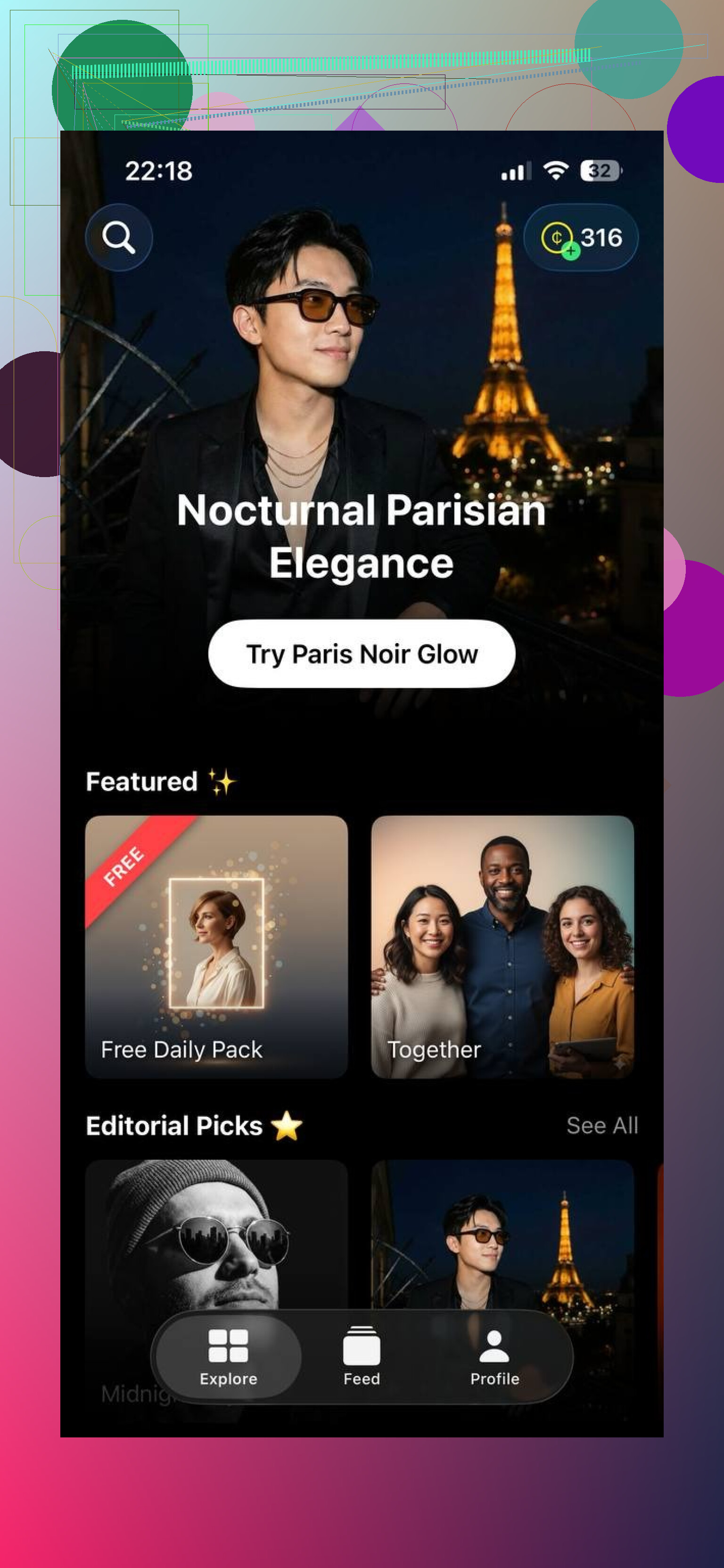
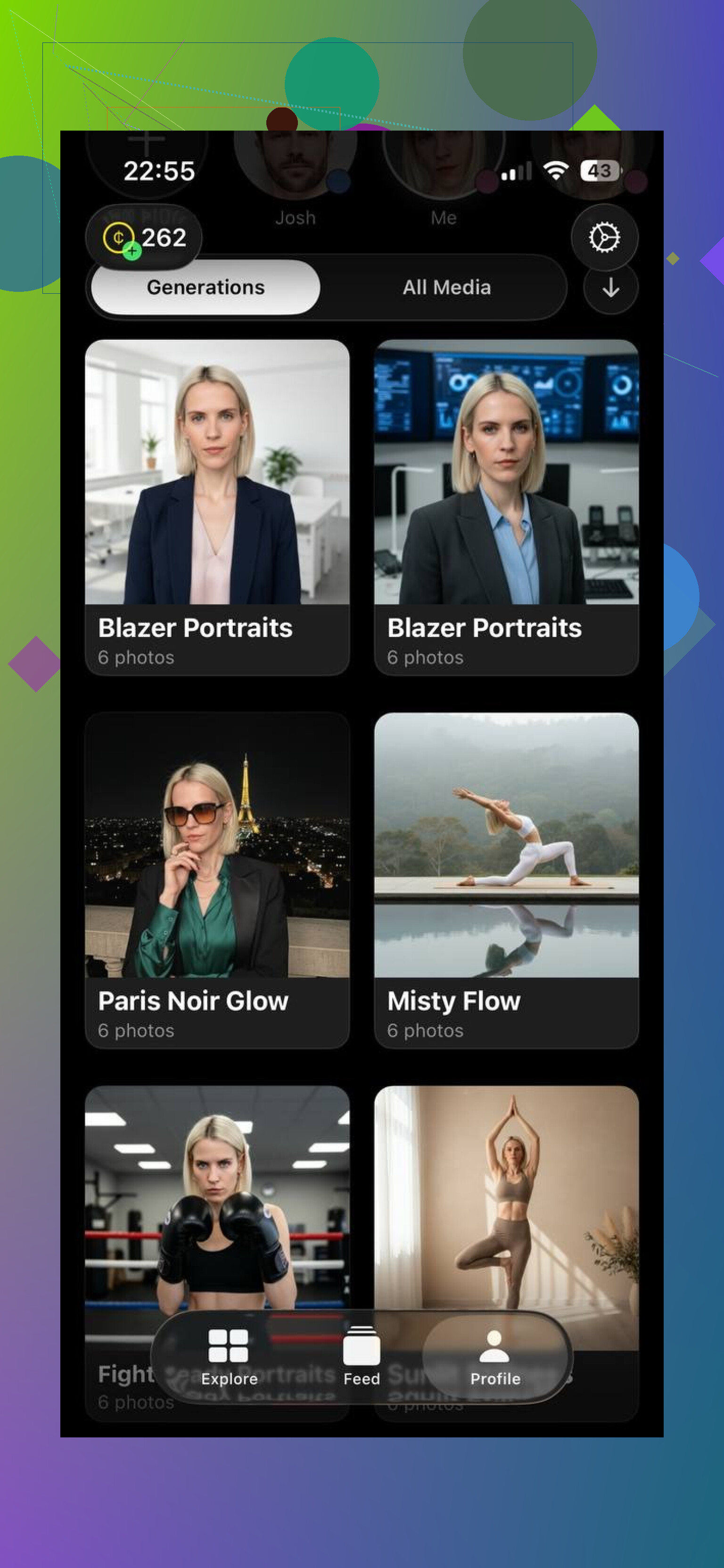
One I tried on iPhone is Eltima AI Headshot Generator:
You upload a small batch of selfies, pick something like business, casual, or lifestyle, and it generates headshots that look close enough to you that coworkers do not question it.
Where apps feel strong
- They sit where your photos already live
Your camera roll is right there. I grabbed 3 selfies sitting on a train, hit upload, done. No cables, no AirDrop shuffle, no “email them to yourself” nonsense.
If your life sits in your phone, this fits.
- The flow is dead simple
What I saw in most apps:
- select 1-3 selfies
- pick a style
- hit generate
- scroll through results
- save the ones you like
No sliders for focal length, no prompt engineering, no “seed” numbers.
- No laptop needed
I did a LinkedIn refresh while half-watching Netflix, phone only. Same for a dating profile photo and an internal Slack avatar.
If you do not want to open a laptop for a single profile photo, apps help.
- Results are quick
On Eltima and a couple of similar apps, I got my first batch in under 10 minutes. I could delete the weird ones, re-run a new batch, and upload to LinkedIn before a meeting started.
- Entry cost tends to be low
Most phone tools I used had:
- a small free trial or daily free generations, or
- a one-time pack of generations that lasted me months
For personal use, I spent less there than on any web subscription.
Where apps start to annoy
- Less control
You usually get:
- style presets (business, creative, casual)
- some background variations
- maybe light retouch
What you do not get much of:
- strict brand colors
- specific lighting setups
- bulk export for 20 people in one go
If you want exact consistency across headshots for a whole team, apps feel loose.
- Platform lock
Some are iOS only, some Android only. Eltima AI Headshot Generator right now runs on iPhone.
Read here:
If your team is mixed between devices, onboarding everyone into one app becomes a chore.
AI headshot web tools (SaaS in browser)
These live in Chrome, Safari, etc. You go to a website, upload photos, get headshots back.
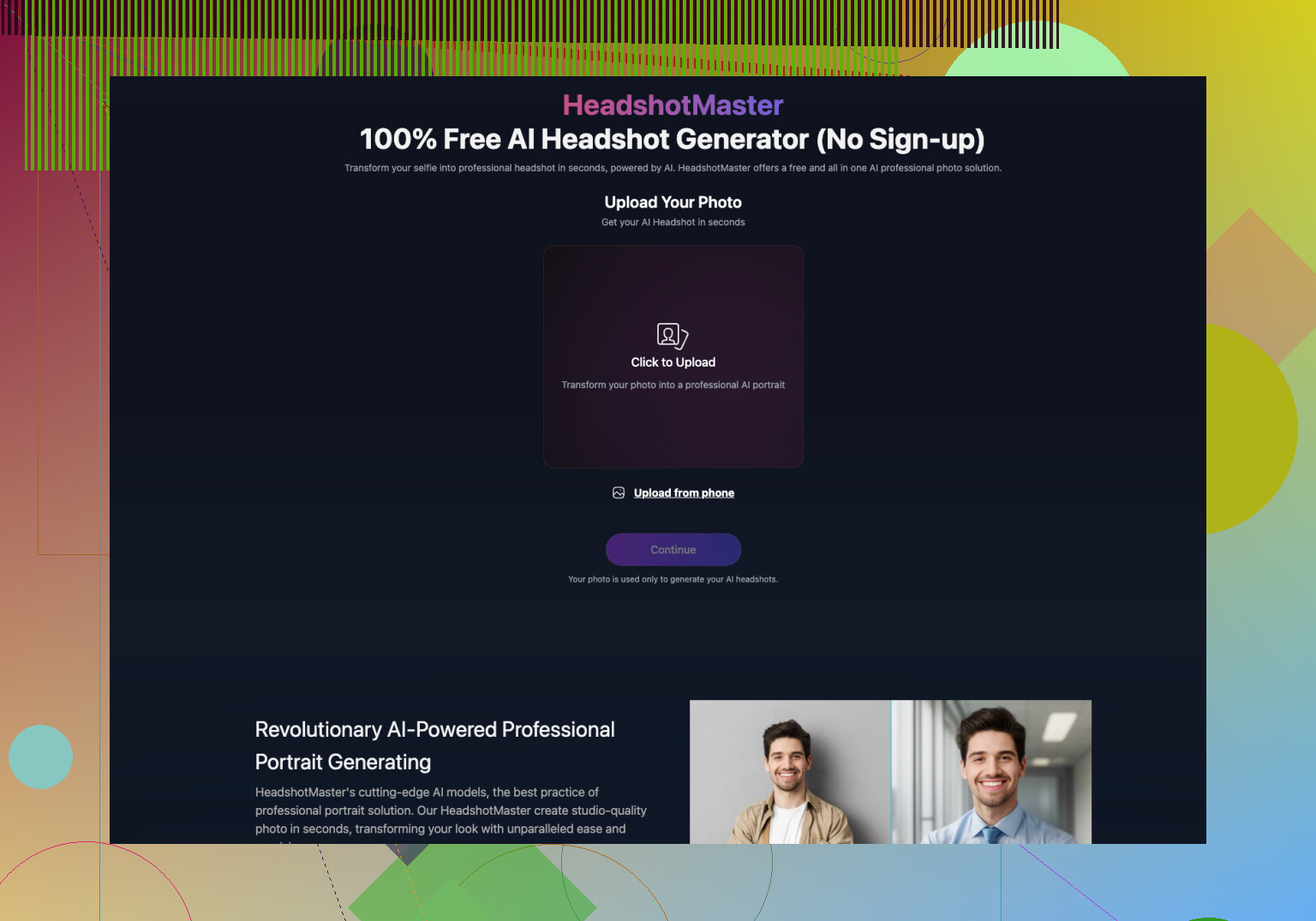
Example: HeadshotMaster io
This one leans more to corporate and agency use. You upload images through the site, pick studio-style looks, tune backgrounds, and manage sessions from a desktop.
Where browser tools help more
- Deeper settings
The better web tools I used had things like:
- custom background color or uploaded background
- branding presets for a company
- multiple export sizes (LinkedIn, CV, website)
- batch jobs for groups of people
- sometimes team review flows
If you are handling photos for a whole department, these options start to matter.
- Desktop screen and mouse
Trying to compare 50 headshots on a phone screen hurt my eyes. On a monitor, it is easier to:
- zoom in and spot weird teeth or hands
- open several options side by side
- drop them into slides or internal docs
If your workday is already on a laptop, the browser route fits better.
- Works almost anywhere
If your device runs a modern browser, you are in. No “this app is not supported in your region”, no OS version dance.
I had teammates on Windows, Mac, even Chromebook. Web tools avoided the “but my phone is too old” conversation.
- Built for teams
Most SaaS platforms I tried had:
- shared workspaces
- admin roles
- folders per client or department
- bulk billing
If you are in HR or an agency, this is what you want. One login, shared library, no chasing everyone for their photos in email threads.
Where web tools feel worse
- Photo transfer is annoying
If your photos live on your phone, you now need to:
- AirDrop to your laptop, or
- email to yourself, or
- use a cloud drive, then upload from there
For a one-off headshot, this step feels unnecessary.
- Slower flow
Some platforms work in batches. You upload everything, the system trains or processes, then you get an email when it is done.
That works fine for a team photo project. It feels slow when you want a new avatar before you send a resume.
- Account walls
Most of the proper web tools I touched forced you to:
- create an account
- confirm by email
- pick a plan or trial
I know some people who drop out at the “verify your email” step.
- Pricing stacks up
Where apps gave me a one-time pack for a few dollars, several SaaS options started at a monthly plan.
If you only need one session for yourself every few months, a subscription feels like overkill.
When an app makes more sense
From my own use, I reach for a phone app when:
- I need a headshot today
- I am on my phone and not near a laptop
- I want a LinkedIn or social update, nothing fancy
- I do not want to create another account somewhere
Examples where this worked well for me:
- Updating my LinkedIn photo after a haircut. Took 2 minutes with Eltima AI Headshot Generator.
- Refreshing my internal Slack avatar at a new job. Did it on my commute.
- Sending a new photo for a guest article bio without touching my laptop.
If you are a solo professional, freelancer, student, or remote worker, this flow tends to be enough.
When a browser tool fits better
I lean to SaaS when:
- I am dealing with a team, not only myself
- I want all headshots to follow one style and background
- I need assets for a public site, investor deck, or big hiring push
- I am on a desktop all day anyway
Example use cases I saw:
- A startup doing headshots for 20 employees in one go, consistent background and lighting.
- An agency creating photos for several clients, each with a different brand preset.
- HR wanting a library of staff photos sized correctly for both internal tools and external site.
So, app vs web, what do I use now
There is no single winner here. They solve different problems.
My pattern after trying multiple tools:
For myself, I default to the app. Eltima AI Headshot Generator on iPhone has been enough.
I grab selfies from my camera roll, pick a style, generate, upload to LinkedIn. Done in under half an hour, no accounts, no subscriptions.
If you are choosing for yourself only, start with an app.
1 Like
Short answer for headshots: quality is mostly about the underlying model and your input photos, not about “app vs SaaS”.
Where I slightly disagree with @mikeappsreviewer is on the “apps for solo, SaaS for teams” hard split. I have seen:
• One person using a browser tool and getting cleaner, more consistent results than any phone app they tried.
• A 10 person startup using one iOS app on a single office iPhone, feeding everyone’s selfies through it, and getting passable team photos for cheap.
Think in terms of use case:
- If you want one good headshot for LinkedIn, CV, dating, etc
Pick whichever has:
• Higher input requirement, like 15 to 20 selfies, not 3 to 5. Models trained on more faces tend to keep identity better.
• Examples that match your skin tone, hair texture, glasses, and age. If the gallery looks nothing like you, your result will drift.
• Clear preview of styles, not vague “pro” and “casual”.
For this, a solid phone app works. Eltima is one option, but look at user samples, not only app store stars. Test one small paid run. If it nails your face, you are done.
- If you want consistent photos for multiple people
Browser SaaS has an edge because of:
• Shared background codes or hex colors
• Fixed framing and crop templates
• Batch export in multiple sizes
You do not need a “team” plan right away, but look for:
• Ability to save a preset for color, background, crop
• Per person identity training from separate photo sets
• Simple export of all results in one zip
- Quality differences to look for, regardless of platform
Ignore the marketing. Check for:
• Face consistency. Does your nose, jawline, and eye distance stay the same across shots.
• Hand and ear sanity. Extra fingers and weird ears still happen, especially in “creative” poses.
• Teeth and eyes. Zoom in. Glitches there ruin an otherwise solid photo.
• Clothing artifacts. Look at collars, ties, jewelry, and patterns.
If an app or SaaS shows a lot of warped details in its own examples, expect the same on your outputs.
- Privacy and data
Quick checklist:
• Does it say if your photos are used to train models.
• Is there a “delete my data” option.
• Does it keep your face model after a session or purge it.
For work headshots, I would lean to a SaaS with a written policy. For personal stuff, a phone app with clear deletion controls is fine.
- My practical suggestion
• If this is for you, right now, and you do not need pixel perfect brand matching, start with a mobile app. Do one paid run, test 2 or 3 styles.
• If this is for your team site, hiring page, investors, or anything that will sit next to your logo for years, use a browser tool, pick one style, and lock it for everyone.
If you share what you need the headshots for, you will get more specific app or site recs from people here.
If you strip the marketing fluff, “app vs SaaS” is mostly a workflow and use‑case decision, not a magic quality divide.
Where I partly disagree with @mikeappsreviewer and @codecrafter: it’s not as simple as “apps = quick personal / SaaS = serious team.” I’ve seen it flipped in practice.
Think in terms of 4 things:
- How “critical” these photos are
- Casual LinkedIn / dating / internal Slack:
A solid app is usually enough, and often faster. If you don’t care about matching a company brand color or ultra‑consistent framing, you’re not really gaining much with a heavy web platform. - Homepage hero section, investor deck, company hiring page:
I’d lean web, not because “SaaS is more pro” but because desktop makes it easier to scrutinize results, reject the weird ones, and keep everything consistent.
- Your tolerance for fiddling
- Apps: less control, less thinking. Good if you just want “look like me, reasonably polished” and you’re fine with presets.
- SaaS: more settings, but also more ways to mess things up. If you’re not going to actually use branding presets, crop templates, etc., then you’re paying for knobs you don’t really turn.
- How you handle source photos
Everyone mentions “phone has your selfies,” but the flip side:
- If most of your good photos are already in Google Photos / iCloud and you work from a laptop all day, dragging them into a browser is not that painful.
- If you’re the type who only ever shoots on phone and never touches a computer outside work, the extra step to move photos to desktop will annoy you. In that case, an app wins just by removing friction.
- Actual model quality
This is the part I wish more people focused on instead of platform:
- Some tiny mobile apps are literally front‑ends for the same back‑end models that certain SaaS tools use. So no, there is not an inherent “SaaS is sharper” rule.
- Look at examples specifically for: your skin tone, age range, glasses/no glasses, hair type. If a tool struggles there in its own gallery, it will struggle with you, app or web.
- If you can, do one small paid run on each side and compare: face consistency, teeth, clothing artifacts. That tells you more than “mobile vs browser” ever will.
So if I were in your spot:
-
If this is for you only and you want something up this week:
Start with a mobile app. Pick one that:
• asks for at least ~15 input photos
• shows user examples that actually resemble you
• is clear about data deletion
If the results are “good enough,” you’re done. Don’t overthink it. -
If this is for a team page or something that will survive for years:
Start with a web SaaS, but only if you commit to:
• picking exactly one style and background and sticking to it
• reviewing on a decent‑sized monitor
• re‑running any person whose shots look off, instead of “meh, ship it”
Real talk: the worst headshots I’ve seen were not because the person chose an app instead of SaaS. They were bad because the inputs sucked (three blurry selfies in a bathroom), nobody checked teeth/eyes up close, and someone just uploaded the first semi‑acceptable render.
So platform matters less than:
- quality and variety of your input pics
- how picky you are when selecting the final 1 or 2 headshots
If you share what you need them for (LinkedIn only vs full company site) and how many people we’re talking about, you’ll probably get more targeted “use X, skip Y” suggestions than any generic “apps are more convenient” line.