I accidentally deleted important photos from my SD card after a camera error, and now some files are missing or won’t open. I’m looking for a reliable photo recovery method or software that can recover deleted pictures from an SD card before anything gets overwritten.
If you deleted photos from an SD card, the worst move is to keep using it like nothing happened. I learned this the hard way once with a camera card from a weekend trip. The second files go missing, stop. No more photos. No more video. Don’t leave it in the camera and let it keep writing stuff.
What trips people up is this idea that deleted means gone on the spot. Usually it doesn’t. On most SD cards, the photo data still sits there for a while. What gets removed first is the file system entry, the little map pointing your device to the photo. If new data hasn’t landed on top of it yet, you still have a shot.
One thing I would not do early on is hit repair, fix, or format because Windows nags you. If the card pops up with a message asking to repair it, leave it alone for the moment. Stuff like CHKDSK and other auto-fix tools writes changes to the card. Sometimes those changes make recovery harder, not easier.
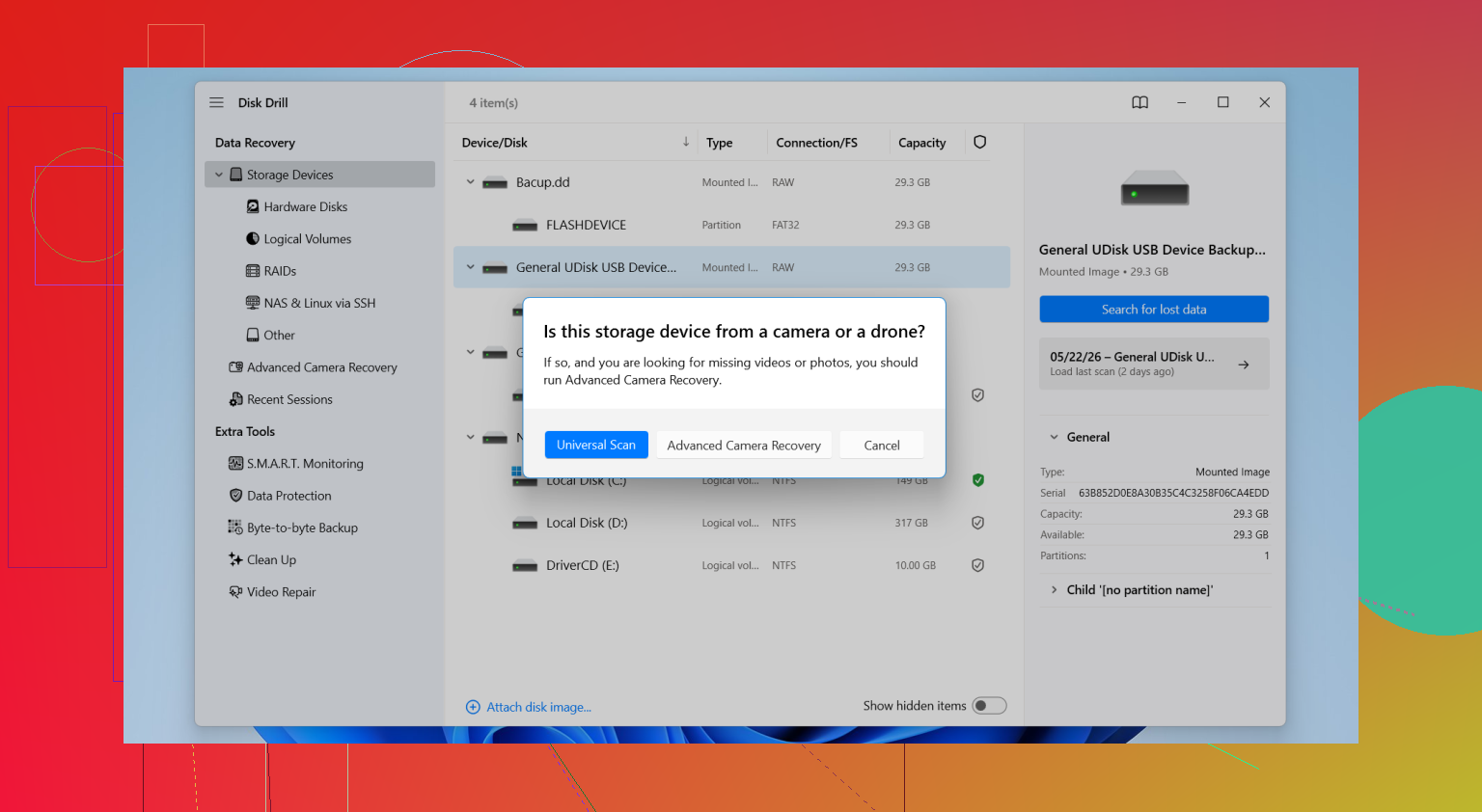
For recovery software, I’d go with Disk Drill. I’ve tried a pile of these tools over time, and this one tends to do well with SD cards without turning the process into a chore. It handles the usual deleted-file situation, but it also helps when the card was formatted, shows up as RAW, has partition issues, or looks empty even though the used space says otherwise.
Here’s the basic flow I’d follow.
- Put the SD card into your computer with a card reader.
- Open Disk Drill and find the card in the device list.
- Start the scan.
- Let the full scan finish. Don’t stop early unless you already found what you need.
- Check the Pictures section or filter by file type.
- Preview the files before restoring them.
- Save recovered files somewhere else, not back onto the same SD card.
That last part matters more than people think. If you recover files back to the same card, you risk overwriting other recoverable stuff. Save to your computer, an external SSD, whatever you’ve got, but not the source card.
If you shoot on a real camera and not only a phone, format support matters. A lot. SD cards from DSLRs and mirrorless bodies often hold RAW formats and fat video files. Disk Drill supports JPG, PNG, CR2, CR3, NEF, ARW, RAF, DNG, and a long list beyond those. Some cheaper tools do fine with JPGs, then fall apart when you feed them camera RAW files. I’ve seen that more than once. Annoying.
The preview feature helps too. I prefer seeing whether a photo opens before I waste time restoring 4,000 mystery files with names like FILE2381. If the preview works, your odds are usuallly better. If it doesn’t, the file might be damaged or only partially recoverable.
If the card is flaky, disconnects mid-scan, or looks corrupted, I’d be more careful. In that case, making a byte-to-byte backup image first is the safer route. That gives you a full copy of the card to work from, so you’re not hammering the original media over and over during recovery attempts.
Before you go deep into recovery software, I’d also check the boring places people forget about:
- Google Photos or iCloud sync
- Old backups on an external drive
- The camera’s internal storage, if your model has any
- Imported photo folders on your computer
- Time Machine or Windows File History
I’ve seen people spend an hour scanning a card, then realize Lightroom already imported the whole shoot last month. Worth checking first.
If none of this works and the SD card has physical damage, pro recovery service is the next step. That gets expensive fast. For most cases, software is the first thing people try. If the card is cracked, unreadable in multiple readers, or gets hot and drops connection, I’d stop messing with it and consider a lab instead.
3 Likes
Yes. There is a reliable path, but it depends on one thing. Whether the missing photo data got overwritten.
I agree with @mikeappsreviewer on stopping use of the SD card. I disagree a bit on waiting too long before making an image. If the card reads at all, I’d clone it first, then do every scan on the image. That cuts risk fast. On flaky cards, repeated scans are how people lose more data. Been there, it sucks.
My order would be:
- Lock the SD card, if it has the switch.
- Use a good USB card reader, not the camera cable.
- Make a full image of the card.
- Scan the image with recovery software.
- Recover files to your computer, not the card.
For software, Disk Drill is a solid pick for photo recovery from SD card media. It does well with deleted JPGs and a lot of RAW formats. If some files recover but won’t open, pay attention to file size. A 0 KB or tiny file usually means directory info survived, but image data did not. A full-sized file that won’t open points more to corruption, and a repair tool might help after recovery.
Also check whether your camera wrote dual copies, like RAW plus JPEG. People forget this all the time.
If the card disconnects, asks to format, or errors out in multiple readers, stop messing with it. That’s where DIY turns into data loss.
For a short explainer, this video is decent: SD card photo recovery tips for deleted and corrupted pictures.
Short version, yes, recovery works often. No software fixes overwritten data. Thats the hard limit.

Yes, but I’d add one thing to what @mikeappsreviewer and @viaggiatoresolare said: don’t judge recovery by filenames alone. People see garbage names or missing folders and assume it failed. Not true. A lot of decent recoveries come back via signature scan, so folder structure is toast but the actual JPG/RAW is still there.
If some recovered files won’t open, try a different viewer before declaring them dead. Windows Photos is weirdly picky sometimes. IrfanView, XnView, Lightroom, or your camera maker’s software may open files that the default app refuses. Seen this more than once.
Also, if the camera error happened before deletion, some pics may be fragmented. That’s where recovery gets messy. Deleted photos are one thing. Corrupted filesystem plus interrupted camera writes is another. Disk Drill is still a solid option for SD card photo recovery, especially for JPG and RAW formats, but don’t expect 100 percent if the card was already acting up.
One more practical thing: clean the card contacts and try a diff card reader. Half of “corruption” is cheap readers being trash, honestly.
If you want more examples from people dealing with deleted JPGs and CR3 files from SD cards, this thread is useful:
how to recover deleted photos and CR3 files from an SD card
Short answer: yes, reliable enough if the data wasn’t overwritten. But reliable does not mean magic. Once bytes are overwritten, game over.
Reliable enough, yes, but I’d push one extra check that @viaggiatoresolare, @sterrenkijker, and @mikeappsreviewer only touched indirectly: verify whether the card uses exFAT and whether the camera had any write interruption. On exFAT cards, a “deleted file” case is often recoverable. A “camera froze while writing” case is less predictable because you can end up with half-written RAWs that recovery apps find but cannot fully rebuild.
My take:
- If files are missing after simple deletion, software recovery is often worth it.
- If files exist but will not open, that is not always a recovery problem. Sometimes it is partial corruption, bad headers, or unsupported preview apps.
I slightly disagree with the idea that preview success tells you everything. Preview is useful, sure, but some RAW files recover fine and still do not preview properly until opened in Lightroom, Capture One, or the camera brand’s own software.
Disk Drill is a reasonable choice here, especially if you want something straightforward and decent with photo formats.
Pros of Disk Drill:
- Good support for JPG and many RAW types
- Clean interface, easier than some nerdier tools
- Can scan card images, which is safer on unstable media
- Preview helps weed out obvious junk
Cons of Disk Drill:
- Deep scans can return lots of duplicates
- Folder names and original structure may be messy
- Not magic for fragmented or overwritten files
- Paid recovery is the catch for larger restores
I’d also keep PhotoRec in mind if you do not care about filenames, and R-Studio if you want more control, but both are less friendly.
Big thing people skip: compare recovered file sizes to what your camera normally produces. If your Canon RAWs are usually 25 MB and the recovered ones are 3 MB, that tells you a lot fast. Recovery worked only partially.
So yes, there is a reliable path, but “reliable” means best chance, not guaranteed outcome.