I’ve been seeing a lot of iPhone cleaner and cache booster apps in the App Store that claim to speed up my phone and free storage. I’m worried about privacy, security, and whether they really work or just waste space. Can anyone explain if these apps are actually safe to use, and if there are better ways to clean and optimize an iPhone?
Short answer. Most iPhone “cleaner” and “cache booster” apps are useless, some are shady, a few are ok if you know what they do.
Quick facts about iPhones
- iOS manages RAM and cache on its own.
- There is no magic button that makes your iPhone faster.
- Anything that promises “speed up your CPU” is marketing, not tech.
Where these apps are unsafe or pointless
- VPN or profile tricks
If a cleaner app wants a VPN profile or device management profile, delete it. That gives it huge control over your traffic or device. - Fake “virus scan”
iOS apps cannot scan other apps or system files. If you see “scanning your phone for viruses”, it lies. - Battery optimizers
iOS already optimizes battery. Third party apps do not control that. - RAM cleaners
Forcing apps out of memory often makes things slower and wastes battery because they need to reload.
Where a cleaner app can help a bit
The only realistic value is storage management:
• Finding large videos and photos
• Detecting similar or duplicate photos
• Cleaning junk screenshots
• Checking big files in your albums
You can do a lot of this with built‑in features:
• Settings > General > iPhone Storage, check “Recommendations”
• In Photos, sort by size, delete large or old videos you do not need
• Offload unused apps in iPhone Storage
If you still want an app
Look for these before you install anything:
- No VPN or configuration profile required.
- Clear privacy policy, no data shared for tracking.
- Honest feature list, focused on media cleanup, not fake “antivirus”.
- Good, detailed reviews, not a wall of generic 5‑star “best app ever!!!” from the same day.
- Paid once or clear subscription, not surprise weekly charges.
A decent example
If you want a cleaner that focuses on photos, videos, and duplicate files, something like
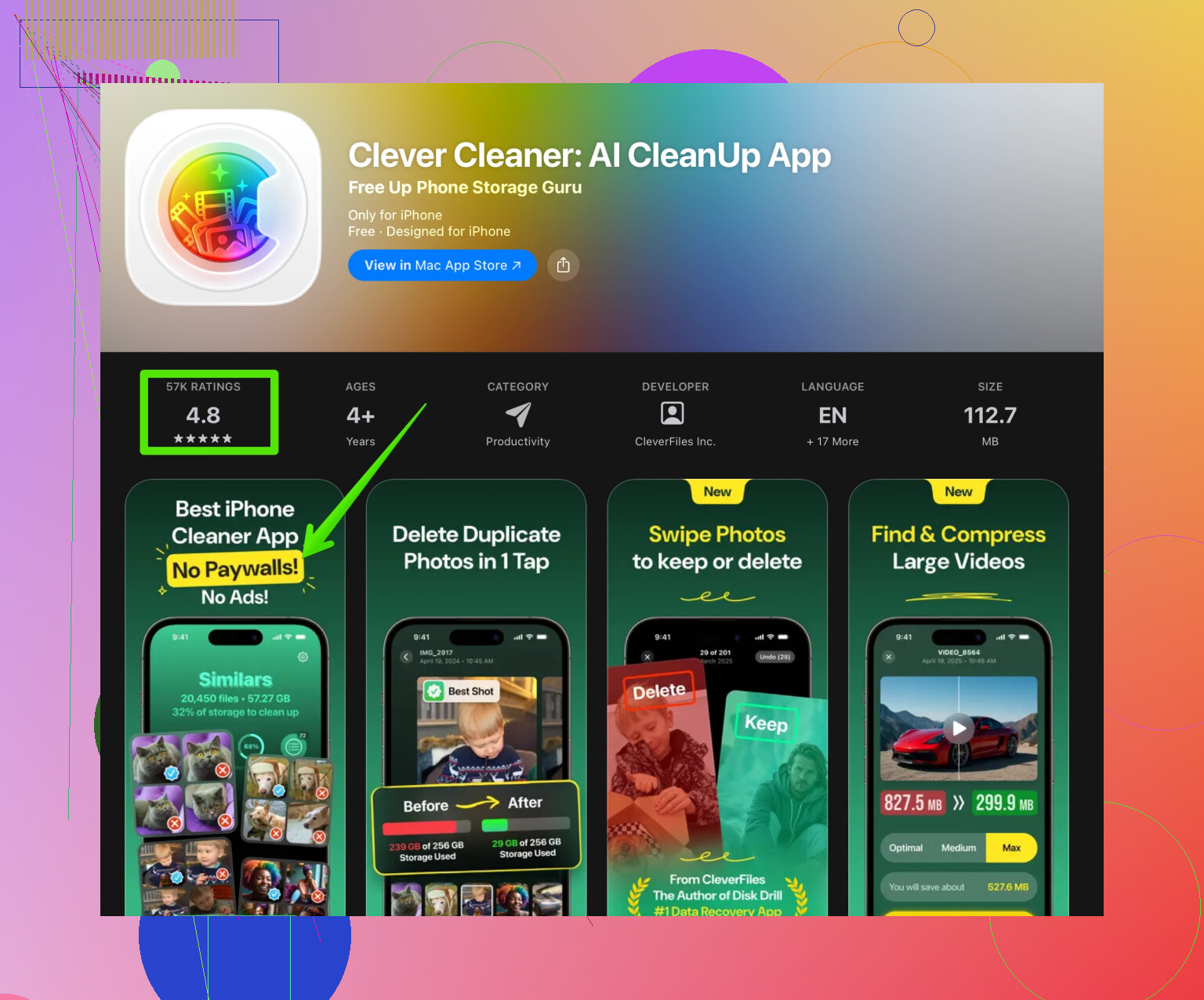
Clever Cleaner App for smart iPhone cleanup
is more in line with how iOS works. It focuses on:
• Finding duplicate and similar photos
• Detecting large videos and files
• Helping you remove clutter in a controlled way
That kind of tool works with iOS instead of pretending to “turbocharge” your phone.
Bottom line
• For speed: ignore cleaner apps, restart your phone once in a while, keep iOS updated.
• For storage: use iPhone Storage settings first, then a trusted cleaner app only for media and duplicates.
• For privacy and security: avoid anything that wants VPN, profiles, or claims full malware scans.
So they are not all malware, but most of the “cache booster” talk is marketing fluff and wastes space.
1 Like
You’re right to be suspicious. On iPhone, most “cleaner” and “cache booster” apps are basically cosmetics with a subscription.
@sonhadordobosque already nailed most of the technical stuff, so I’ll hit a few angles they didn’t lean on as much and push back on one thing.
1. Are they safe?
“Safe” is a spectrum:
-
Low‑risk but noisy:
These just scan your Photos, Contacts, etc., and suggest “cleanup.” Privacy risk is mostly about what they do with analytics and ad tracking. Check if they use third‑party trackers or “data used to track you” in the App Store privacy label. -
Medium‑risk:
Apps that shove constant paywalls, fake alerts, or exaggerate issues. They might not steal data, but they push dark patterns to trap you into weekly subscriptions. That’s still harmful, just financially, not “hacker in your phone” harmful. -
High‑risk:
Anything wanting:- VPN configuration
- Device management / configuration profiles
- “Security” permissions that sound like they can “scan your whole device”
On iOS, that’s unnecessary for a legit cleaner. If an app asks for that just to “clean,” I’d delete it on sight.
2. Do they really speed up your iPhone?
Not really. iOS is already aggressive about memory and background task management. Killing “background apps” or “cleaning RAM” on iPhone is like turning your car off at every traffic light then complaining the engine is slow to start.
Where I slightly disagree with @sonhadordobosque:
They’re right that RAM cleaners and CPU boosters are junk, but storage cleanup can indirectly help performance on older / almost-full iPhones. When your storage is sitting at 1–2 GB free, you may see:
- Apps crashing more
- Photos and iCloud stuff taking forever
- System updates failing
So a cleaner app that helps you systematically remove huge videos, duplicate photos, and junk screenshots can make the phone feel smoother simply because it has breathing room again. It’s not boosting CPU, it’s just removing the chokehold.
3. Privacy angle nobody mentions
Some of these apps need to analyze your photos to find duplicates or “similar pics.” That often means:
- Local on-device AI: safer, nothing leaves your phone
- Cloud processing: photos or metadata may upload to their servers
Most people tap “Allow” blindly. If you care about privacy, look for:
- Explicit “All processing is done on-device” in the description or privacy policy
- No account required just to scan your photos
- No “upload to cloud for better results” hidden in small print
4. Are all cleaner apps a waste?
No, but 80–90% are either:
- Useless animations with a fake radar scan
- Subscriptions for things iOS already does
- Weekly charges for a one-time cleanup job
The few that are actually useful focus on:
- Duplicate / similar photo detection
- Big video and file detection
- Sorting your library so you decide what to delete
That’s why something like the Clever Cleaner App actually makes sense in this space. It doesn’t pretend to “turbocharge your iPhone,” it just helps you manage clutter. If you’re looking for a tool dedicated to cleaning up photos, videos, and other junk files, check out this iPhone cleanup and storage optimizer. It plays nicely with how iOS already works instead of fighting it.
5. What I’d actually do in your place
-
Skip anything that says:
- “Boost CPU”
- “Instant speed up”
- “Virus scan for iPhone”
- “Battery saver”
-
Check the business model:
- Avoid “$4.99/week” subscriptions
- Prefer one-time purchase or at least sane monthly pricing
- Read 1-star reviews first, they usually expose scams
-
Use built-in tools first, then a cleaner app sparingly:
- Clean via Settings and Photos manually
- If your library is huge and it’s painful to do by hand, then use a cleaner like Clever Cleaner App to automate finding duplicates and large media
- Uninstall the app when you’re done if you don’t need it daily
6. TL;DR in plain speak
-
Will they speed up your phone?
Not in the way they advertise. Only freeing up a lot of storage can help indirectly. -
Are they safe?
Some are, some are shady. Avoid anything asking for VPN/profile or claiming antivirus magic. -
Are they worth it?
Only if they focus on storage cleanup (photos, videos, duplicates) and have transparent privacy and pricing. Clever Cleaner App is one of the few that actually stays in that lane.
So yeah, most of those “cache boosters” are glorified progress bars. Use them, if at all, as occasional storage tools, not as miracle performance fixes.
On iPhone, “cleaner” apps fall into three buckets: placebo gadgets, subscription traps, and a small minority that are just file organizers with marketing fluff.
A few angles that complement what @sonhadordobosque already laid out:
1. What they cannot do on iOS
iOS does not let third‑party apps:
- Flush system cache
- “Defrag” storage
- Tweak CPU or GPU performance
- Kill background processes in a deeper way than iOS already does
So if an app is selling itself as a cache booster, RAM cleaner, virus remover, or CPU turbo, it is leaning on smoke and mirrors. At best, it is just closing apps or deleting its own temporary data. So no, you do not get desktop‑style “CCleaner for iPhone” powers.
2. Where they can be useful
Where I slightly diverge from some of the earlier takes: these tools can be practical if you treat them as smart search filters for your own data, especially:
- Giant 4K videos you forgot you shot
- Duplicate or near‑duplicate photos
- Old screen recordings and large message attachments
- Massive WhatsApp / Telegram media folders
You can do this manually in Settings and Photos, but once your library hits tens of thousands of items, a specialized app can save a lot of time.
3. Privacy & security nuances
Instead of just “avoid shady apps,” here is what I actually check:
-
Does it need an account?
An iPhone cleaner that forces sign‑up is already a yellow flag. Why should you need an account to delete your own files locally? -
Where is the analysis done?
If they admit to cloud analysis or “online optimization,” assume photos or metadata can leave your device. If privacy matters, you want something explicitly on‑device. -
Permissions sanity check
For a legit cleaner, the only sensitive permission it really needs is Photos or Files.
Anything asking for:- VPN configuration
- Device management profiles
is way outside the scope of storage cleanup and not worth the risk.
4. About Clever Cleaner App specifically
It sits in the “useful but not magical” category. It is worth talking about as long as you treat it correctly.
Pros of Clever Cleaner App
- Focuses on storage management, not fake “CPU boost”
- Good for:
- Finding duplicate or similar photos
- Surfacing large videos and other heavy media
- Tidying screenshots and short clips that pile up
- Plays along with how iOS already works rather than claiming system‑level access it cannot have
- Interface is easier for non‑technical users than digging around Settings
- Can genuinely free multiple GB on media‑cluttered phones, which indirectly helps reliability on low‑storage devices
Cons of Clever Cleaner App
- Cannot touch true system cache or “optimize” performance beyond freeing space
- You still need to manually review suggested deletions to avoid losing important photos
- If your library is already minimal, its benefit is marginal
- Like any cleaner, it can encourage “set and forget” thinking, when you actually need ongoing habits (offloading to iCloud, regular photo culls)
- Adds another app to install, grant permissions to, and remember to remove if you no longer need it
Compared to a lot of the trashy “boosters,” it stays in a more honest lane, but it is still a tool, not a magic fix.
5. Where I’d personally draw the line
-
Safe enough to try
- Apps like Clever Cleaner App that:
- Only need file / photo access
- Are clear about on‑device processing
- Market themselves as storage organizers, not antivirus or system tuners
- Apps like Clever Cleaner App that:
-
Instant delete list
- Anything with:
- “Antivirus for iPhone”
- “Instant speed up” or “game booster”
- Weekly subscriptions that cost more than your cloud storage plan
- Anything with:
6. Practical strategy that avoids overcomplication
-
Use built‑in tools first:
- Settings → General → iPhone Storage → see “Recommendations” and large apps
- Photos → Albums → Recently Deleted and Videos to nuke low‑value stuff
-
If that still feels like wading through a swamp and you have thousands of photos, then bring in a cleaner like Clever Cleaner App as a temporary helper, not a permanent maintenance app.
-
After it does the heavy lifting, unsubscribe and uninstall if you do not need it regularly. That kills both the clutter and the subscription risk.
In short: you are right to be suspicious. Most iPhone cleaner apps are either useless or aggressively monetized cosmetics. A small subset, including Clever Cleaner App, can be helpful for storage cleanup, as long as you treat them as glorified search tools for your own files and not as performance or security products.