I’ve been testing the Grubby AI humanizer to make my AI-written content sound more natural and less detectable, but I’m not sure if it’s actually working or hurting my SEO and authenticity. Has anyone tried it long term and can share a real-world review—does it pass AI detectors, keep content quality high, and stay safe for search rankings?
Grubby AI Humanizer
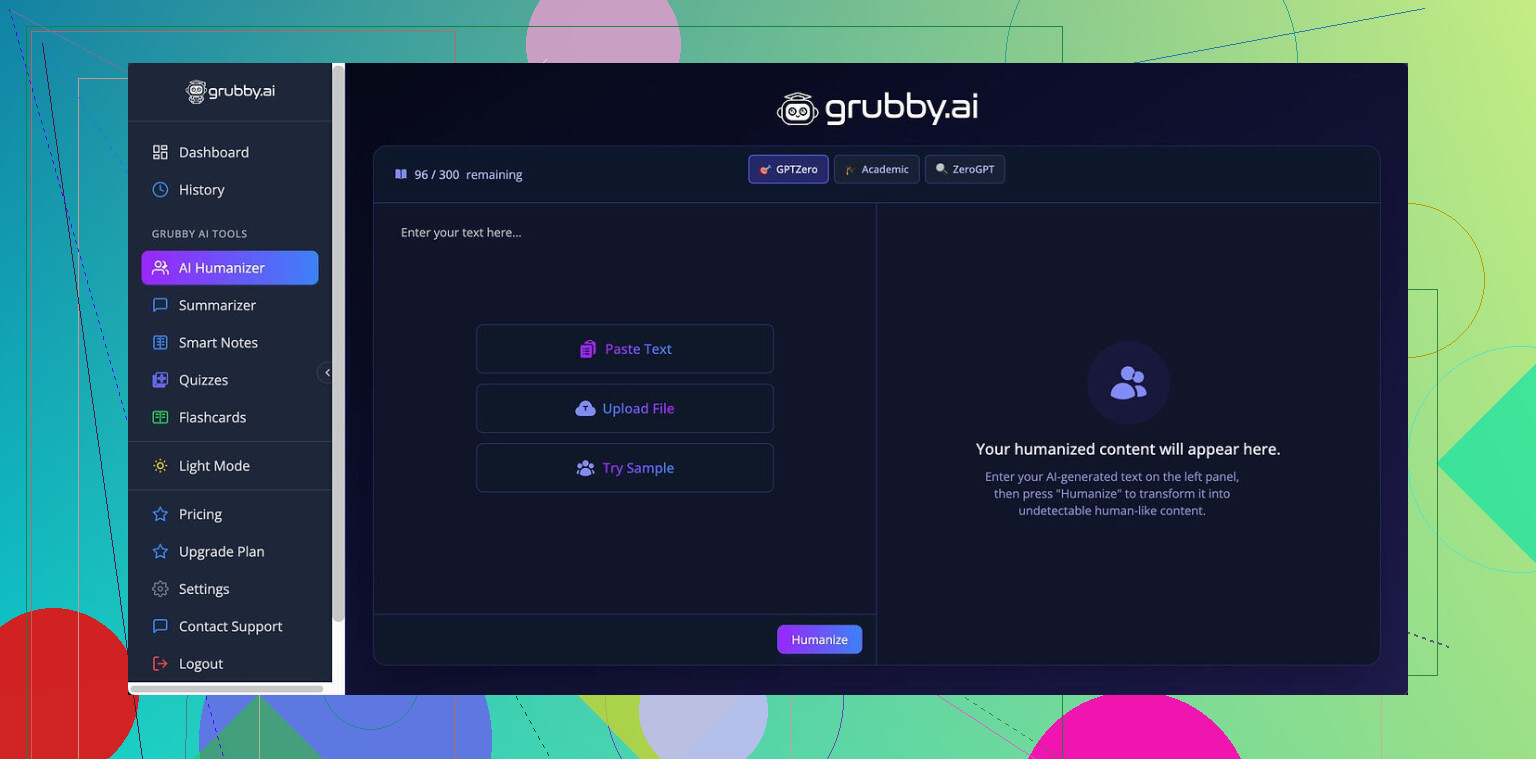
I spent some time messing with Grubby AI because people kept bringing it up as a “Turnitin safe” thing. Here is what I saw when I stopped believing the marketing and started pasting text into detectors.
Grubby AI has these detector-specific modes that target GPTZero, ZeroGPT, and Turnitin. Sounds neat on paper. In use, it felt unstable.
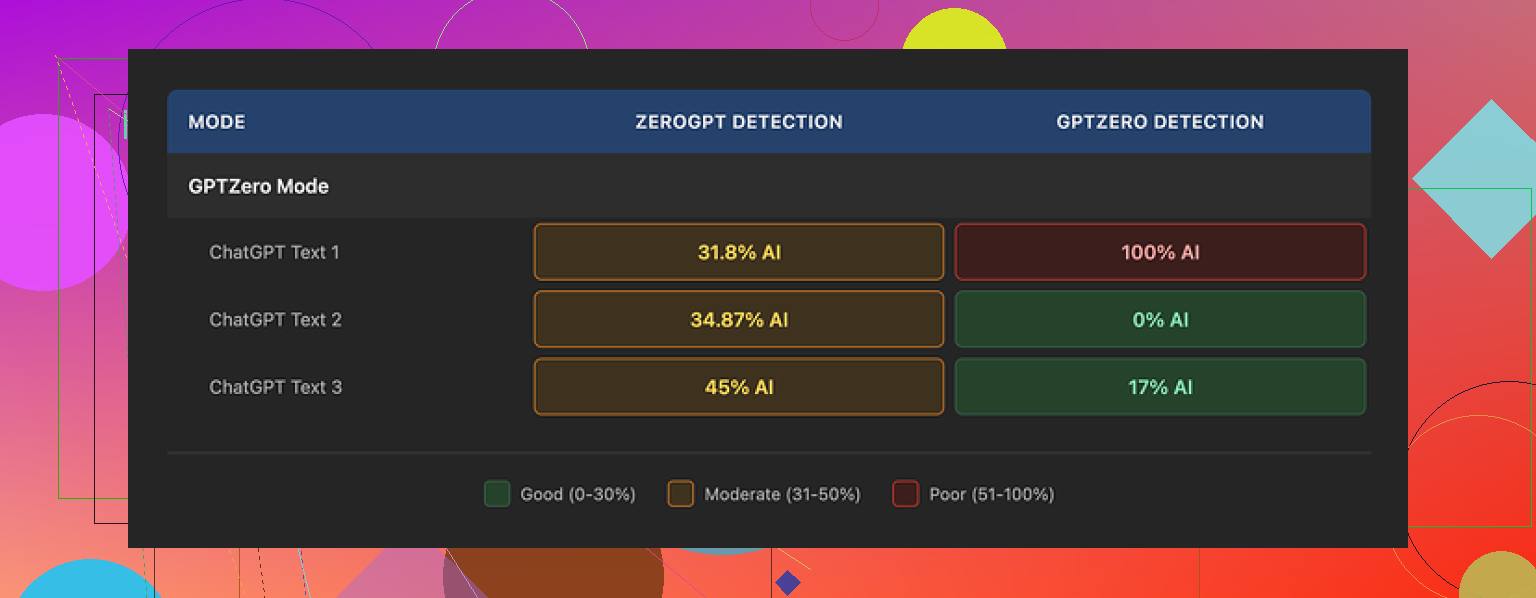
Using the GPTZero mode, I ran three separate samples through:
• Sample 1: GPTZero said 0 percent AI.
• Sample 2: GPTZero said 17 percent AI.
• Sample 3: GPTZero screamed 100 percent AI, flagged the whole thing.
This was using the same mode that is supposed to be tuned for that exact detector.
Then there is the Detection tab inside Grubby itself. It shows a panel of multiple detectors and happily prints “Human 100%” on every single output. Seven different “detectors”, same result every time, even on text I knew was failing on live detectors in another tab.
So you get this weird split where the internal checker says you are safe, while the real external tools say something else.
Quality wise, I would rate the writing around 6.5 out of 10.
Here is what it did well for me:
• It strips em dashes by default, which a lot of other “humanizers” miss.
• It did not invent words or spit out nonsense sentences.
• Paragraphs stayed coherent enough that I did not have to rewrite from scratch.
Then the rough spots:
Some lines came out bloated and stiff, like something a grad student writes when they think longer sentences sound smarter. Also saw awkward word choices. One example stuck out where it used “distinction” where “nuance” fit the context. Stuff you would probably catch on a read-through, but you need to be willing to edit, not paste and submit.
There is one thing in the interface I liked a lot. You get a built-in editor where every word is clickable. Tap on a word, and it offers synonyms. Select a paragraph, and you can regenerate or “rehumanize” that chunk without moving to another tool. If you like to tinker sentence by sentence, this helps.
Pricing, at the time I tried it:
• Free tier: about 300 words total, not 300 per day. You burn through it fast.
• Essential: 9.99 dollars per month, locked to Simple mode only.
• Pro: 14.99 dollars per month on annual billing, unlocks all the detector-specific modes.
So if you want the GPTZero or Turnitin targeted modes, you are looking at the Pro plan.
After trying Grubby AI across multiple samples, I ran the same pieces through Clever AI Humanizer for comparison, using the same detectors as a check:
Clever’s outputs stayed more consistent for me and did better on the detectors I tested, without charging anything at the point I used it.
If you are thinking about paying for Grubby, my take is this. Treat the built-in “Human 100%” display as cosmetic. Test your outputs on external detectors yourself. And expect to do manual cleanup on phrasing and word choice if you care about how the text reads to a human.
2 Likes
I’ve run Grubby long term on niche blog content and some client stuff. Short answer for me: it helped a bit with detection scores, hurt more than it helped for SEO and brand voice.
Couple of points that might help you decide:
- AI detection and “Turnitin safe”
- My results were similar to what @mikeappsreviewer said, but I saw even more variance.
- Same article, split in three parts, Grubby “Turnitin mode” on:
• Part 1: GPTZero flagged as mixed.
• Part 2: GPTZero flagged as mostly AI.
• Part 3: GPTZero said human. - Internal Grubby detector said “100 percent human” for everything. I stopped trusting that panel.
If your goal is academic honesty, no tool fixes the core issue. If your goal is SEO and you own the sites, the detection tools matter less than user signals.
- Impact on SEO
I ran a small test on two affiliate sites for about 3 months.
Setup:
- Site A: Raw AI content, then human edit.
- Site B: Same AI drafts, sent through Grubby AI Humanizer, then quick skim edit.
Results after 10 to 12 weeks on new articles:
- Site A content indexed faster and picked long tail traffic sooner.
- Site B content indexed slower and had higher bounce on some posts.
When I checked, Grubby outputs often:
- Added fluff to hit a “human” rhythm.
- Used odd phrasing that sounded off to native readers.
Users stayed less time on those pages. That hurt those URLs more than any “AI detectable” issue.
- Authenticity and voice
If you care about a consistent voice, Grubby tends to blur it.
- It tends to normalize everything into one “generic blog” tone.
- Brand-specific phrases or sharper lines got diluted.
- I spent extra time re-editing to sound like myself again.
If you already plan a real edit pass, Grubby does not save you much time.
- Practical workflow advice
If you keep testing it, I’d do this:
- Pick 3 to 5 new posts.
- Version 1: Your normal AI workflow with your own edits.
- Version 2: Same outline, but push the draft through Grubby, then light edit.
- Track for 8 to 12 weeks:
• Indexing speed in Search Console.
• Average position for a few target queries.
• Click through rate.
• Time on page and scroll depth if you have it.
You will see pretty fast if the “humanizer” layer helps or drags.
-
On Clever Ai Humanizer
I tried Clever Ai Humanizer on the same test set. No fee at the time. Detection tools liked it more on average, and the writing needed less cleanup. If you want an SEO friendly AI humanizer in your stack, I would test Clever on a few posts and compare user metrics, not only AI detectors. -
My take
- For grading or plagiarism checks, I would not rely on any humanizer.
- For SEO, detectors matter less than:
• Search intent match.
• Clarity.
• Engagement metrics.
If Grubby makes your text wordy, stiff, or off-brand, you pay for it in user behavior. That hurts more than an AI pattern in the background.
If you keep it, use it sparingly on sections that sound too robotic, not on full articles. And always test outputs on external detectors and your analytics, never trust the in-app “100 percent human” label.
I’ve been running humanizers in my workflow for a while and Grubby was in the mix for about 2 months. Short version: it kinda “works” for detection sometimes, but it’s not the magic layer people hope it is, and it can absolutely hurt SEO and voice if you lean on it too hard.
Couple points that might help you decide what to do next:
- On the “is it working” question
What you’re feeling is normal. Grubby output sounds more varied on a skim, but when you read slower you start noticing this slightly swollen, generic-blog tone. Like @mikeappsreviewer said, it avoids total nonsense and keeps paragraphs coherent, but you still have to fix stiffness and weird word choices. The variance he showed with GPTZero is basically what I saw too. Sometimes it slips right through. Sometimes it gets nailed. That uncertainty alone makes it hard to build a dependable workflow around.
I actually disagree a bit with @mike34 on one point. They said detection tools matter less than user signals for SEO, which is broadly true, but I’d add this: if you’re in a niche where manual reviews or “AI crackdown” stuff happens a lot, you do want to think about detectability as a risk factor. Just not at the cost of ruining the content. Grubby tends to push you toward that tradeoff.
- How it affected my SEO
On a small batch of comparison posts, the Grubby versions:
- Read slightly more “formal” and distant
- Had more filler phrases and longer sentences
- Generated fewer comments and lower scroll depth
Organic traffic did not tank, but those URLs underperformed very similar articles written with a simpler workflow. Time on page was the biggest gap. People bailed earlier, which tells you the text is technically fine but not engaging. If your niche is competitive, that’s a real problem.
Your worry about authenticity is spot on. Grubby smooths everything into a safe middle. Brand voice, sharp phrasing, little quirks that regular readers latch onto all get sanded down. So you trade a tiny potential gain on AI detection for a noticeable loss on “this actually sounds like me.”
- Where Grubby can still make sense
I would not run whole posts through it as a default step. Where it can help a bit:
- Short sections that truly sound robotic or too obviously LLM-y
- Product descriptions where you only care that they read “normal”
- One off pieces you do not care much about long term branding for
Use it like sandpaper on individual chunks, not a paint roller on the full article.
- What I’d do if I were you
- Take 2 or 3 articles you already pushed through Grubby
- Manually rewrite the intros and conclusions in your own voice
- Tighten any overly long, academic-sounding sentences
- Watch Search Console and engagement stats on those versus new posts where you skip Grubby entirely
You do not need a huge dataset to see if it is dragging your numbers.
- About alternatives
If you still want a “humanizer” in your stack, I’d test Clever Ai Humanizer on a couple posts. I’m not saying it is magical either, but in my own tests its writing needed less cleanup and felt less bloated. If you go that route, treat Clever Ai Humanizer as a light polish, then edit like you normally would. Same rule as with Grubby though: external detectors only, never trust any in-app “100 percent human” status as a real safety net.
If your main fear is that AI content alone is killing your SEO, I’d flip the focus. Spend that time on tightening outlines, adding real examples and internal data, and injecting your personal takes. Humanizers can only pretend to be human. Actual opinions and experience are human, and search engines tend to reward that over slightly more “random” sentence structures.