I’ve been testing GPTHuman AI for various tasks and I’m not sure if I’m using it to its full potential or if there are better alternatives. Can anyone share an honest review, including pros, cons, real-world use cases, and how it compares to other AI tools so I can decide if it’s worth committing to long term
GPTHuman AI Review
I spent a weekend messing around with GPTHuman after seeing the line on their page about being “the only AI humanizer that bypasses all premium AI detectors.” That line hooked me, but the results did not match it at all.
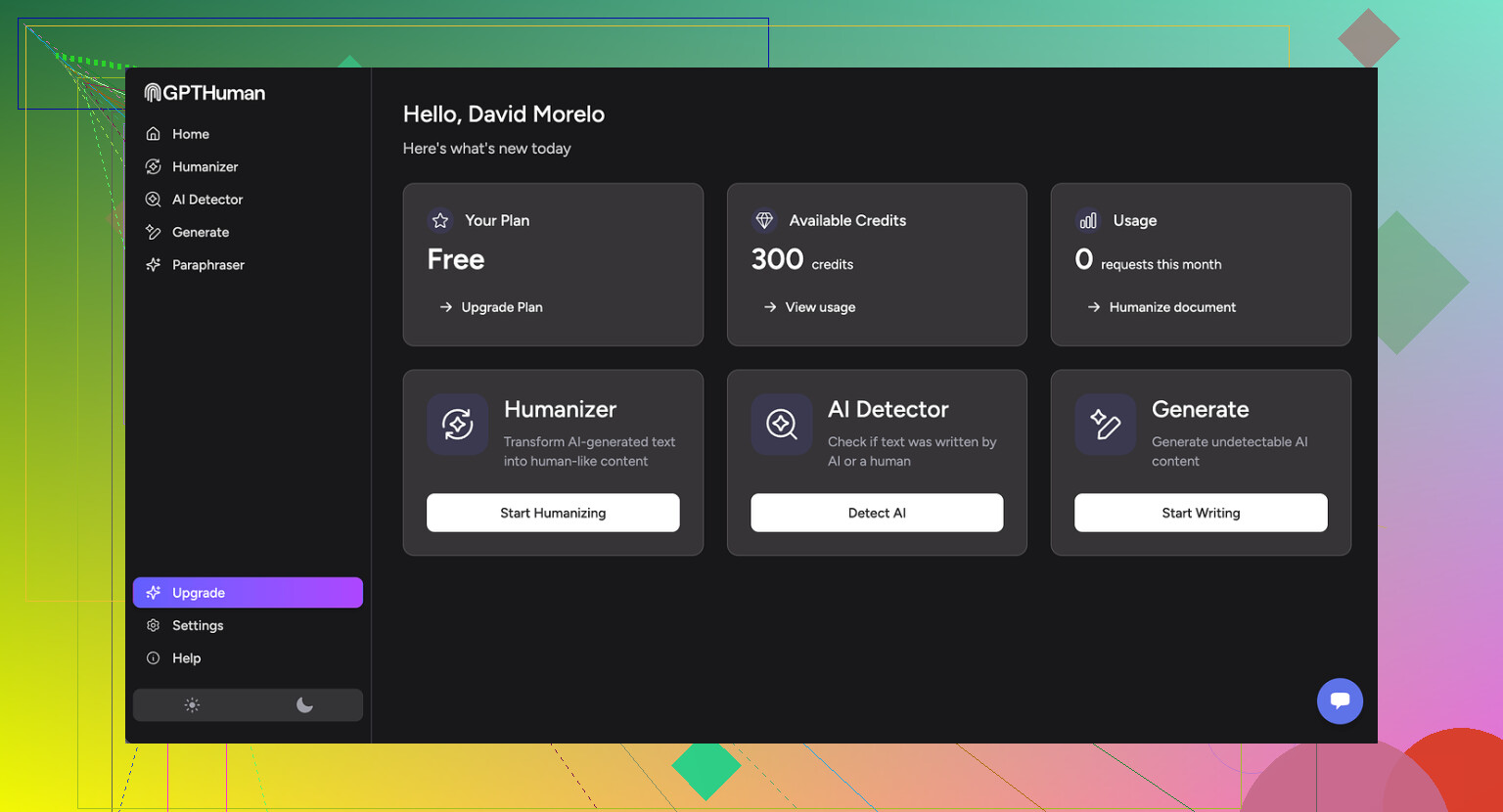
Here is what I did and what broke.
I took three different AI generated samples, ran each through GPTHuman, then ran the outputs through a few detectors. I used their own recommended settings, nothing fancy. Then I checked:
- GPTZero
- ZeroGPT
- GPTHuman’s built-in “human score”
On my side:
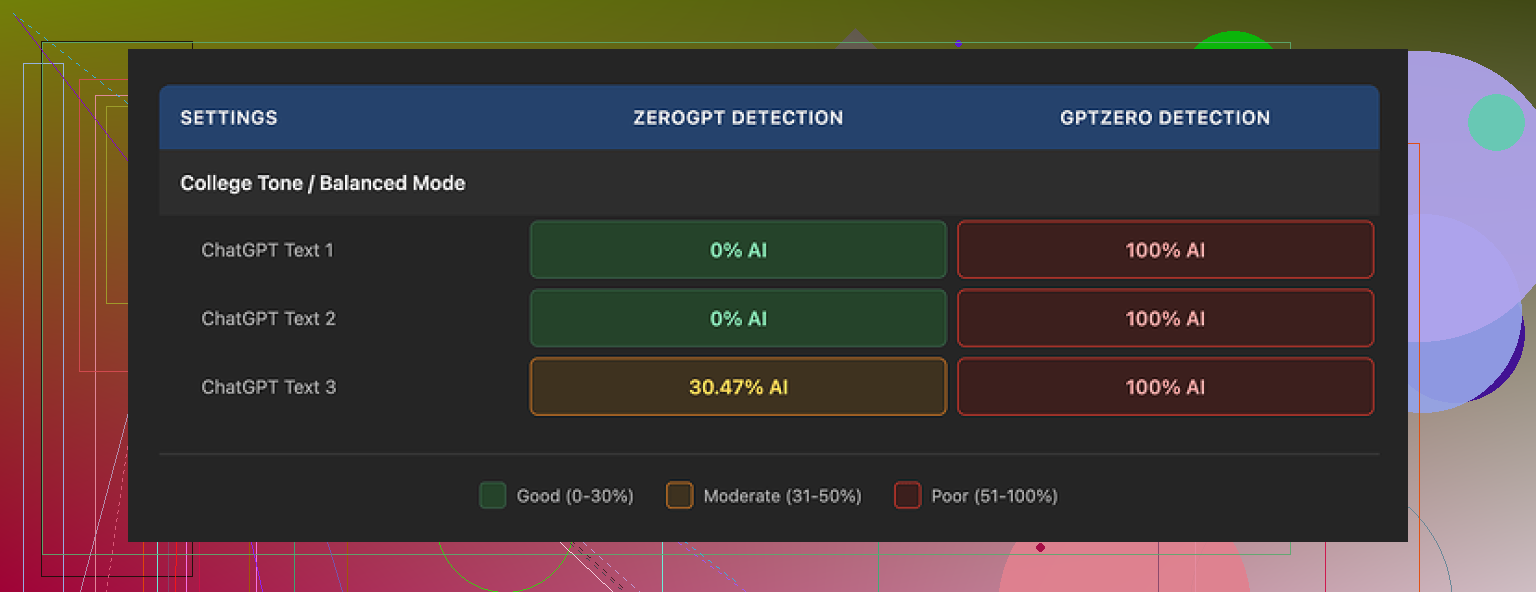
• GPTZero flagged every single GPTHuman output as 100% AI. All three. No edge cases.
• ZeroGPT gave two of the samples a clean 0% AI rating, but the third one came back around 30% AI. So 2 passed, 1 got tagged.
• GPTHuman’s own “human score” looked generous. The tool showed high pass rates that did not line up with what GPTZero or ZeroGPT showed. The internal score felt more like a confidence bar than something you can trust for actual detector evasion.
The bigger mess was the writing itself. Paragraphs were neat, but the sentences kept tripping over basic grammar.
These showed up a lot:
• Subject and verb not matching
• Sentences that stopped in the middle of the thought
• Word swaps that did not fit the context
• Endings that read like the model ran out of gas mid output
Example pattern I saw multiple times:
Original AI text:
“The tool provides a reliable and consistent experience for most users.”
GPTHuman style output:
“The tool provide a reliable experience for most user, which make it seems consistent in many case.”
Readable, but off in multiple spots. If you paste that into an email to a client, it will look sloppy. It felt like the tool tries to “break” AI patterns by throwing in grammar errors and awkward phrasing, and that choice starts to show.
Here is a screenshot from one of the runs:
The limits were also more aggressive than I expected.
Free tier
The free tier stopped me at about 300 words total usage, not 300 words per text. After a few short tests I hit the wall and got locked out. To finish my normal test set, I ended up creating three Gmail accounts and cycling through them. Annoying, but I wanted consistent data.
Paid plans
Here is what I saw on pricing when I checked:
• Starter: from $8.25 per month on an annual plan
• Unlimited: $26 per month
The “Unlimited” naming is a bit misleading. Even on that tier, each run is capped at 2,000 words per output. So if you are dealing with long-form reports, manuals, essays, you will need to chop everything into chunks and process them separately. That adds more places to introduce inconsistencies in tone and errors between segments.
Refunds and data
Some policy bits stood out:
• Purchases are non-refundable. If you pay and then figure out it does not pass the detectors you care about, you are stuck with it.
• Your text is used for AI training by default, unless you go in and opt out. If you handle internal docs or client work, read that part carefully first.
• They keep the right to use your company name in their marketing unless you tell them not to. So if you do not want a logo on a testimonials page, you need to reach out and get that removed.
That combination made me hesitate on using it for anything sensitive or for teams that need to keep tight control over data.
Comparison with Clever AI Humanizer
During the same round of benchmarking, I tested multiple humanizers side by side, using the same base texts and the same detectors.
Clever AI Humanizer, which is discussed here:
kept giving me stronger scores on external detectors and did not hit me with word count paywalls. It was fully free at the time I tested. No need to juggle accounts, no hard 2,000 word cap per run.
If your priority is raw detection score plus cost and you do not want to think about subscriptions, Clever AI Humanizer performed better for me.
Who GPTHuman might fit
From my runs, GPTHuman feels like a niche tool at this point.
It might fit if:
• You write shorter pieces and do not care about perfect grammar
• You want quick structural tweaks and do not mind fixing grammar by hand
• You are comfortable with the training and marketing terms and are fine opting out manually
It did not fit my use case where:
• External detectors needed to line up with the tool’s internal score
• I wanted clean grammar without lots of corrections
• Longer documents needed to go through without manual splitting
If you are thinking about paying for it, I would suggest:
- Start on the free tier.
- Run your own sample through GPTHuman and then test against the specific detectors your clients, school, or company uses.
- Check the grammar in a regular editor like Google Docs or Word and look for patterns of errors.
- Decide if the manual clean-up is worth the subscription and the limits.
For my workflow, GPTHuman did not hit the bar it set for itself. The claim about bypassing all premium detectors did not match what I saw in testing, and the language quality cost me more time than it saved.
1 Like
I had a similar experience to you, but my take is a bit mixed compared to @mikeappsreviewer.
Here is how I would break it down from real use.
Where GPTHuman helps a bit
-
Short, low risk content
- Quick replies. Simple emails. Short discussion posts.
- If you run 100 to 250 word chunks, the output often passes at least one detector like ZeroGPT, even if GPTZero still flags it.
- If you rewrite again in your own words after GPTHuman, the result looks more natural.
-
Tone shifts
- It sometimes helps make AI text less “polished”.
- For blogs where you want a slightly rough style, it sometimes works after you fix grammar.
- I used it for support macros, then edited for clarity. Saved some time.
-
Mixing with your own edits
- If you paste your own rough draft, it does not wreck your style as much as some other tools.
- It sort of “noisifies” the text, which can help reduce AI pattern hits, if you then clean it up by hand.
Where it fails hard
-
Detector claims
- The “bypasses all premium detectors” line is oversold.
- On my end GPTZero still hit GPTHuman output as AI in most runs.
- GPTHuman’s own “human score” feels more like a vanity number than a serious check.
-
Grammar and clarity
- I disagree a bit with the idea that it is fine if you do small pieces.
- Even in short texts I saw subject verb errors, weird word choices, truncated thoughts.
- If you use it for client docs or academic work without editing, the text looks sloppy and sometimes confusing.
-
Long form work
- The 2,000 word per output cap slows real projects.
- Splitting into chunks often breaks flow and voice.
- Rejoining sections takes more time than running a single clean rewrite elsewhere.
-
Data and terms
- Training on your text by default plus no refunds feels risky for any sensitive or regulated content.
- You have to remember to opt out and to check how your data is handled, which many people skip.
Real world use cases where it is “ok”
- Social media captions if you do final edits.
- Internal notes where grammar is not critical.
- Rough drafts for low stakes content, then heavy manual clean up.
Use cases where I would avoid it
- Academic submissions, especially if your school uses GPTZero or similar.
- Client facing reports, proposals, official emails.
- Any legal, medical, or policy text.
- Large technical docs.
Alternatives and practical workflow
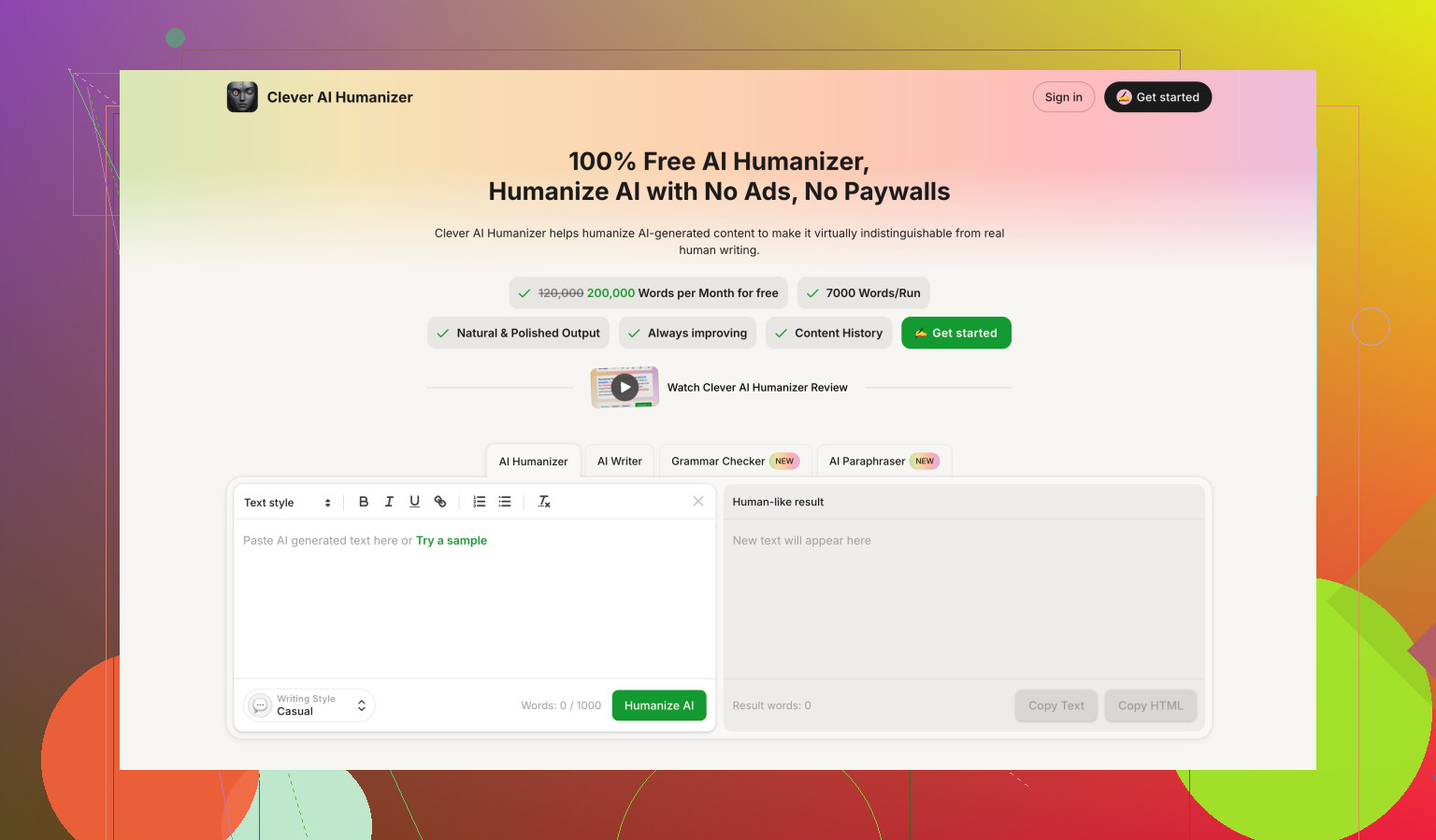
If your main goal is detection evasion plus cost effectiveness, Clever Ai Humanizer did better in my tests. I fed the same paragraphs to both. On mixed detectors including GPTZero, ZeroGPT, and some “all in one” checker sites, Clever Ai Humanizer outputs had fewer AI flags and the text sounded more natural out of the box.
One workflow that worked reasonably well for me:
- Draft with your normal AI or by hand.
- Run through Clever Ai Humanizer for the first pass.
- Check in a grammar tool like LanguageTool or Grammarly.
- Add your own voice. Personal comments, unique references, your phrasing.
- If you must test, check with the exact detectors your teacher, editor, or client uses.
Tips if you still want to use GPTHuman
- Keep texts under 300 words per run.
- Avoid technical jargon or specialized topics, it tends to distort those.
- Always do a manual read through, out loud if possible, to catch awkward lines.
- Run one paragraph through first, then test it with your target detector before committing to a subscription.
Bottom line from my side
GPTHuman feels more like a noisy paraphraser with aggressive marketing.
You can get some use out of it for small, low importance chunks.
For serious work, cleaner text, and better AI detection scores, I would lean toward Clever Ai Humanizer plus your own editing, instead of trying to force GPTHuman to fit every task.
Short version: GPTHuman is “fine-ish” if your bar is low and the stakes are low. If you’re trying to seriously dodge detectors and keep clean writing, it’s kind of a headache.
A few angles that haven’t been hit yet:
-
The “human score” problem
I actually think this is worse than @mikeappsreviewer and @sterrenkijker made it sound. The gap between GPTHuman’s internal “human score” and what GPTZero / ZeroGPT say is not just annoying, it’s misleading. If someone less technical sees a 90%+ “human” rating inside the tool, they’ll assume they are safe. In practice, that number feels closer to a “how much did we scramble the text” meter than a real detection check. -
Style degradation over multiple passes
One thing I tested:
AI text → GPTHuman → edit by hand → GPTHuman again.
By the second pass, the writing started to feel like a bad machine translation. Same idea got repeated, weird rhythm, and the mistakes stopped looking “naturally human” and started looking systematically broken. So using GPTHuman as an iterative helper is not great. One pass, then manual edits, is basically all you can do before quality tanks. -
Topic sensitivity
GPTHuman struggles harder with technical or domain heavy content than the others mentioned. If you run something with stats, code, or specific terminology, you get:
- Misused terms
- Reordered phrases that subtly change meaning
- Occasional loss of crucial qualifiers like “not,” “at most,” “may”
That is a lot more dangerous than just “slightly bad grammar.” For anything technical, legal, or policy-like, I would not trust it even if detectors loved it.
- The “humanizer strategy” itself
This is where I partially disagree with both earlier takes. They focus a lot on tool vs tool (GPTHuman vs others). The bigger issue is strategy:
- Detectors are inconsistent across platforms
- Detectors get updated silently
- Any “this bypasses all premium detectors” claim is doomed long-term
If you depend on one humanizer to carry you, you are always one detector update away from trouble. So even if GPTHuman worked better, I would still tell you:
- Use a humanizer as just one small step
- Add your own voice, references, and structure
- Assume nothing is “bulletproof” for academic or compliance scenarios
- Where GPTHuman can make sense
Not totally useless, just very narrow:
- Short, disposable content: social captions, throwaway forum replies, internal Slack-style notes.
- Roughing up overly polished AI text so it feels more casual, as long as you are ready to fix grammar yourself.
- Situations where detection risk is low and you mostly care about tone, not correctness.
If it is client-facing, academic, or part of a professional portfolio, I would honestly skip it. The grammar issues and meaning drift cost you more time than you save.
- Alternatives and a more sane workflow
If you’re already experimenting, it’s worth pulling your head up from a single tool.
- Clever Ai Humanizer is the obvious one to at least test, especially since people keep mentioning it. In my runs, it preserved meaning better and didn’t rely on “add errors = more human” as aggressively. Pair it with your own edits and a grammar checker.
- Sometimes a simpler flow works best:
- Generate with your main AI model.
- Manually rewrite key sentences in your own voice.
- Run through a humanizer like Clever Ai Humanizer only if you must reduce AI pattern hits.
- Final pass in a grammar tool.
- Should you keep using GPTHuman at all?
If you already have it:
- Use it only for small chunks.
- Never trust the internal “human score” as proof of safety.
- Avoid anything high stakes or highly technical.
If you are still in “testing” mode and not locked into a subscription, I’d seriously re-evaluate whether it deserves more of your time. At this point, it behaves more like a noisy paraphraser with aggressive marketing than a reliable “humanizer.”
Curious what you’re actually trying to protect against: school detectors, corporate checks, or just vibe policing? That answer honestly matters more than which tool you pick.